openelab.de
 openelab.com



































Booster T2 vs T1: the short answer
Booster T1 is the better fit for locomotion research, RoboCup, robotics courses and teams that want a smaller 30 kg humanoid. Choose Booster T2 when your project needs a manipulation-first body: 7-DOF arms, a 3-DOF waist, more camera viewpoints, a published dual-arm load limit and a choice of much stronger onboard computers.
Within the T2 family, Education is the practical starting point for ROS 2 development, teaching and moderate on-robot inference. Pro is for workloads that can use its Jetson Thor T5000 and 128 GB of memory, such as larger multimodal or vision-language-action models.
For locomotion, soccer, RL, teaching and a smaller lab footprint.
For whole-body manipulation, ROS 2 integration and models that fit within 16 GB.
For memory-heavy, on-robot multimodal inference that you have already profiled.
Booster T2 vs T1 specifications
| Specification | Booster T1 | Booster T2 Education | Booster T2 Pro |
|---|---|---|---|
| Height | About 1.2 m | About 1.4 m | About 1.4 m |
| Weight | About 30 kg | About 42–43 kg | About 42–43 kg |
| Body DOF | 23 standard body; up to 31 with grippers or 41 with dexterous hands | 31 before the optional end effector | 31 before the optional end effector |
| Arm / waist DOF | 4 per arm and 1 at the waist on the 23-DOF body; 7-DOF arms are available in expanded configurations | 7 per arm and 3 at the waist | 7 per arm and 3 at the waist |
| Maximum peak joint torque | 130 N·m | 140 N·m | 140 N·m |
| Published maximum dual-arm load | Not listed as a family-wide figure | 10 kg combined, dependent on arm posture | 10 kg combined, dependent on arm posture |
| Onboard compute | AGX Orin on Basic; Intel i7-1370P plus AGX Orin on Standard | 16-core Arm CPU, 16 GB memory, 375 TOPS INT8 | Jetson Thor T5000, 128 GB memory, 2,070 TFLOPS FP4 sparse |
| Storage | Configuration-dependent | 512 GB | 512 GB |
| Built-in vision | Depth camera | Binocular head and abdominal cameras; wrist cameras optional | Binocular head and abdominal cameras; wrist cameras optional |
| LiDAR | Not listed as a standard T1 sensor | Optional | Optional |
| Battery / stated walking time | 10.5 Ah / about 2 hours | 48 V, 10 Ah / about 2 hours | 48 V, 10 Ah / about 2 hours |
| Published walking speed | Up to 1 m/s in the T1 manual specification | 3 m/s | 3 m/s |
The headline specs show the real split: T1 is lighter and already has a mature locomotion-oriented ecosystem, while T2 adds upper-body mobility, sensing and compute for manipulation-heavy embodied AI. The detailed numbers are available in Booster’s T1 product page and T2 specification table.
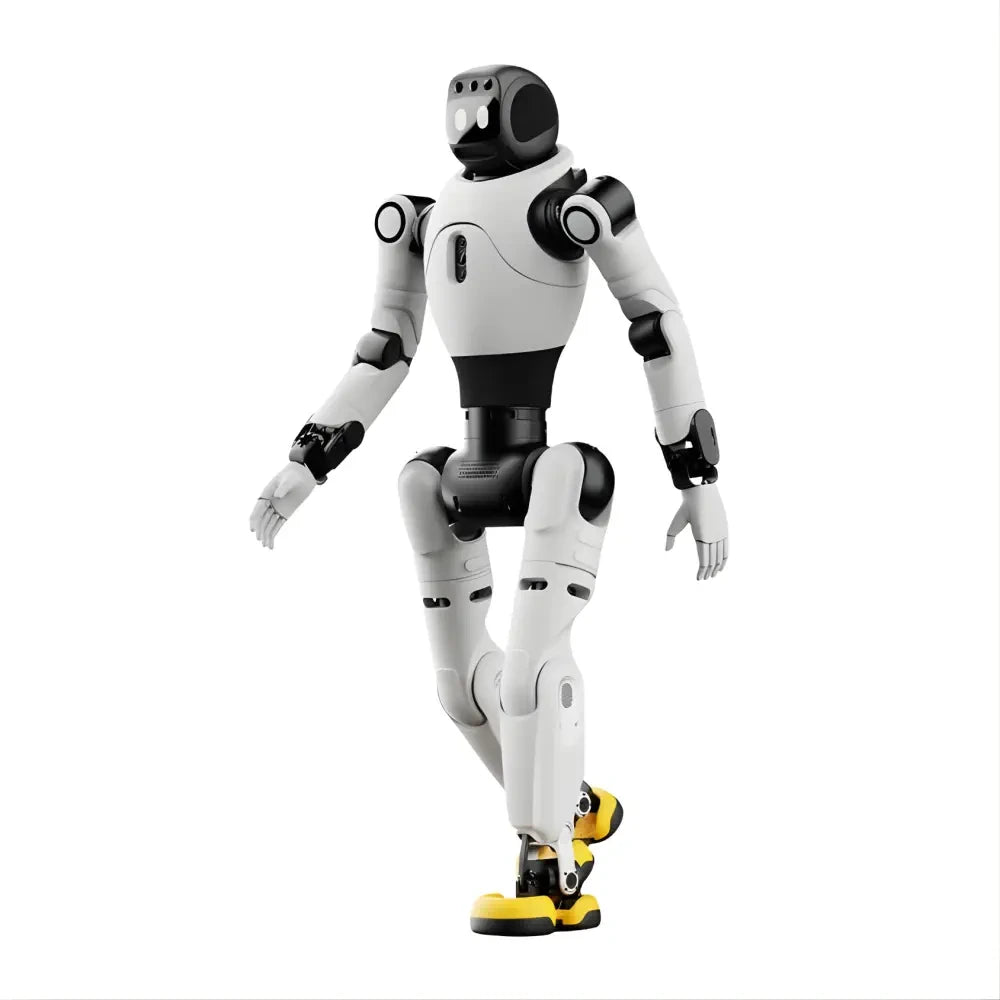
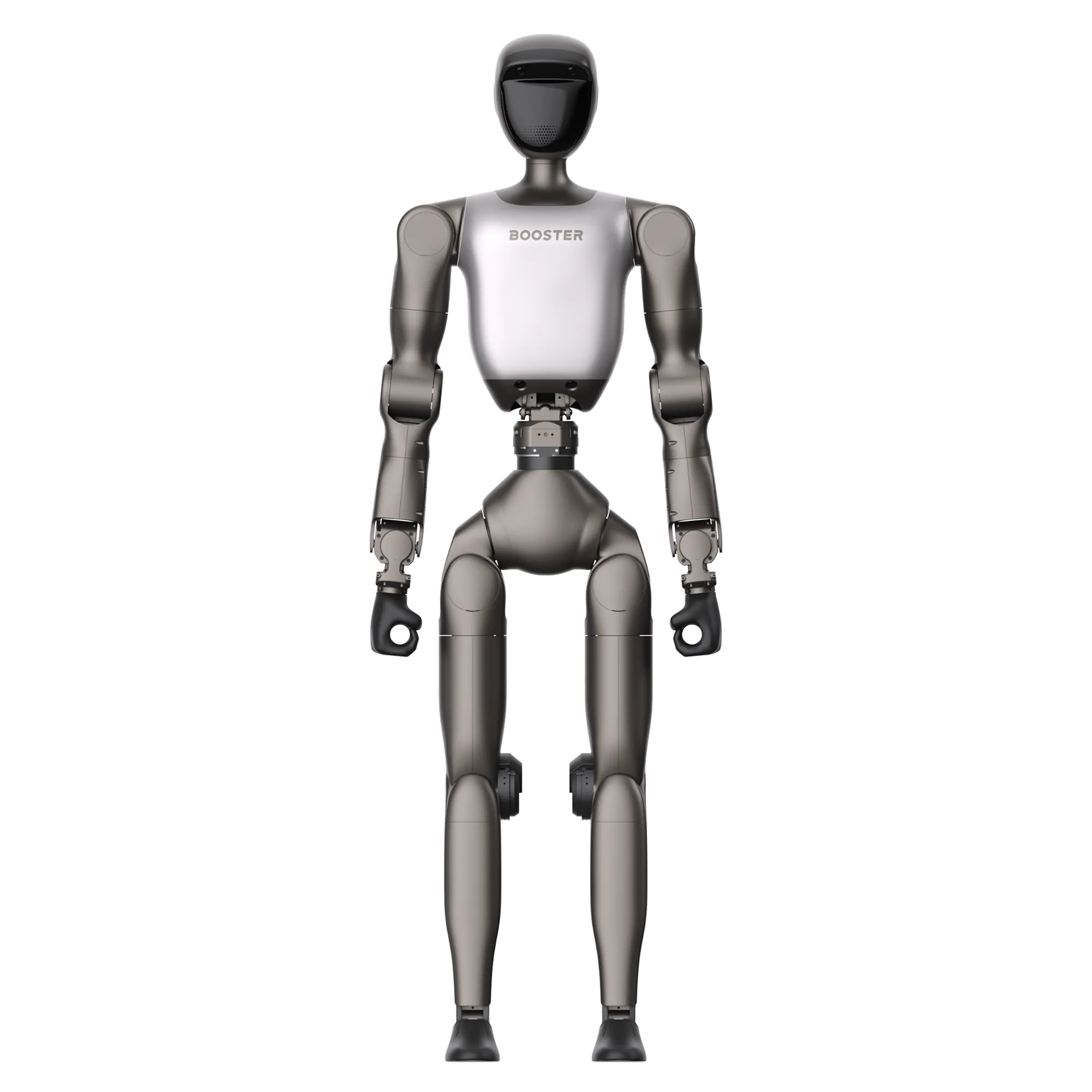 Booster T2About 1.4 m; 31 body DOF
 Booster T1About 1.2 m; 23-DOF standard body
First, decode the model names
Booster uses different names for the two generations. T1 comes in Basic, Standard and Customized versions. Basic uses an NVIDIA AGX Orin computer, while Standard adds an Intel i7-1370P processor alongside the AGX Orin. Customized configurations can add 7-DOF arms, grippers or dexterous hands.
T2 comes in Education and Pro compute tiers. Each tier is then divided by end effector: E1 or P1 has no hand, E2 or P2 uses grippers, and E3 or P3 uses dexterous hands. This naming matters because “T2 Pro” describes the computer tier, not a stronger mechanical body.
| Model name | What it changes | What it does not tell you |
|---|---|---|
| T1 Basic | AGX Orin compute on the standard 23-DOF body | Whether an expanded arm or hand package was added |
| T1 Standard | Adds an Intel i7-1370P to the AGX Orin platform | The exact customized end effector |
| T2 Education E1 / E2 / E3 | Education compute with no hand, grippers or dexterous hands | A different T2 body or joint-torque class |
| T2 Pro P1 / P2 / P3 | Pro compute with no hand, grippers or dexterous hands | A higher payload than T2 Education |
Why T2’s 31 body DOF matter
The standard T1 body has 4 DOF per arm and one waist-yaw joint. That is enough for gestures, locomotion experiments and many teaching tasks. T2 has 7 DOF per arm and a waist that can pitch, roll and yaw, which gives a manipulation controller more ways to place and orient the hand while keeping the body balanced.
More joints do not automatically produce better manipulation. They also increase the size of the action space, the number of collision relationships and the calibration work. T2 pays off when your task needs wrist orientation, torso-assisted reach or coordinated two-arm motion. If you mainly study gait generation, balance recovery or robot soccer, T1’s simpler body can be an advantage.
Booster T2 Education vs Pro
The mechanical platform is the same at the Education and Pro tier. Both list 31 body DOF, 140 N·m maximum peak joint torque, the same camera layout, a 10 Ah battery and the same posture-dependent 10 kg maximum combined dual-arm load. The important difference is compute.
| Compute question | T2 Education | T2 Pro |
|---|---|---|
| Processor | 16-core Arm Cortex-A78AE at 1.9 GHz | 14-core Arm Neoverse-V3AE at 2.6 GHz with Jetson Thor T5000 |
| AI figure published by Booster | 375 TOPS at INT8 | 2,070 TFLOPS at FP4 sparse |
| Memory | 16 GB | 128 GB |
| Storage | 512 GB | 512 GB |
| Best fit | Teaching, ROS 2 nodes, control, lighter perception and smaller policies | Large multimodal models, memory-heavy perception and on-robot VLA experiments |
Do not turn 375 TOPS and 2,070 TFLOPS into a simple speed multiplier: Booster reports them at different numerical precisions and with a sparsity qualifier on the Pro figure. In practice, memory may be the more useful dividing line. If your complete pipeline fits comfortably in 16 GB, the Education edition may be enough. If the model, visual encoders, caches and sensor processes exceed that budget, Pro becomes much easier to justify.
Which Booster robot fits your project?
For robotics courses and first humanoid projects
Start with T1 if the syllabus focuses on kinematics, locomotion, robot communication, perception basics or RoboCup. Its smaller body is easier to move around a lab, and its 23-DOF model reduces complexity for students encountering a floating-base robot for the first time.
Choose T2 Education when manipulation is central to the course. The 7-DOF arms, wrist-camera options and three-axis waist support more realistic lessons in reach, grasping, visual servoing and whole-body coordination.
For RoboCup and locomotion research
T1 has the clearer fit. Booster positions it around developer access, durability and robot soccer, and the company publishes locomotion resources including Booster Gym, Booster Train and Booster Deploy. T2 can walk faster on paper, but its main advantage is not soccer; it is the combination of manipulation, sensing and onboard compute.
For manipulation and demonstration-data collection
T2 is the stronger platform. Seven joints per arm make hand orientation easier to control, the three-axis waist adds reach strategies, and optional wrist cameras can supply hand-centric observations. Select E2/P2 for gripper-based tasks or E3/P3 when dexterous-hand research is the goal.
The 10 kg figure is a combined dual-arm maximum, and Booster states that it varies greatly with posture. A two-handed lift close to the torso is different from carrying the same mass with extended arms. Plan around the object, reach and motion rather than the headline number alone.
For on-robot VLA and multimodal models
T2 Pro is the natural candidate when local inference is non-negotiable and the workload needs more than 16 GB. T2 Education can still connect to an external workstation or run smaller policies, so Pro is not mandatory for every embodied-AI project. Profile the model’s memory use, input resolution and target inference rate before choosing the compute tier.
For a smaller lab or a team that transports the robot often
T1 is easier to live with. The roughly 12–13 kg weight difference affects lifting, stands, shipping cases and how many people are needed for safe handling. T2 also needs more clearance for its longer reach and higher published walking speed.
ROS 2, SDK and simulation support
Booster publishes a C++ SDK, a separately installed Python SDK and a ROS 2 interface package. The ROS 2 repository defines messages for low-level robot and motor state, IMU data, hand commands and low-level commands, plus RPC and Agent services. This is enough to connect custom nodes to Booster’s control interfaces without inventing a bridge from scratch.
The open-source stack also includes robot assets, Booster Gym for locomotion reinforcement learning, Booster Train for Isaac Lab training and Booster Deploy for sim-to-real or sim-to-sim deployment. T1 currently has the more visible track record in the public locomotion projects. T2 is the newer target for Booster Studio, manipulation, teleoperation and embodied-AI workflows.
ROS 2 support should be read as access to Booster’s messages and services, not as a promise that every MoveIt 2, Nav2 or Isaac package already has a ready-made T2 launch file. Your integration effort depends on the robot description, controller interface, sensors and end effector used by the project.
Grippers, dexterous hands, cameras and LiDAR
The robot name alone does not define the complete perception-and-manipulation stack. For T2, E1/P1 ships without an end effector, E2/P2 is the gripper version and E3/P3 is the dexterous-hand version. Wrist cameras are supported on the gripper and dexterous-hand variants, while LiDAR is optional.
A gripper is usually the simpler choice for repeatable pick-and-place, teleoperation datasets and first manipulation policies. Dexterous hands add action dimensions and enable richer contact strategies, but they also raise the difficulty of calibration, retargeting and data collection. LiDAR is useful for navigation or spatial mapping; it is not required for every stationary manipulation project.
Can a Booster T1 be upgraded into a T2?
Not in the sense most buyers mean. You can expand T1 with 7-DOF arms and different end effectors, but an upgraded T1 does not become T2. The two robots differ in body size, waist architecture, integrated camera layout, joint system, maximum torque, compute options and published load envelope.
If your work is likely to remain locomotion-first, T1 is not a temporary compromise; it is the more focused platform. If the research plan already depends on torso-assisted manipulation, two-arm payload experiments or large local multimodal models, starting with T2 avoids rebuilding around a different body later.
A practical selection checklist
- Define the task: locomotion, soccer, teaching, manipulation, teleoperation, VLA inference or a mix.
- Choose the body: T1 for compact locomotion-focused work; T2 for upper-body manipulation and richer perception.
- Choose the T2 computer: Education for 16 GB-class workloads; Pro when the real pipeline needs 128 GB and Jetson Thor.
- Choose the end effector: no hand, gripper or dexterous hand. Do not leave this decision until after the robot arrives.
- Add only useful sensors: wrist cameras for hand-centric vision and LiDAR for navigation or mapping.
- Plan the lab: floor space, fall zone, support stand, transport case, charging and operator training all scale with robot size.
If T1 matches your project, OpenELAB carries the developer-ready Basic configuration:
Frequently asked questions
What is the main difference between Booster T2 and T1?
T1 is a smaller 30 kg humanoid built around locomotion, education and competition development. T2 is a roughly 42–43 kg embodied-AI platform with 7-DOF arms, a 3-DOF waist, more built-in camera viewpoints, a published dual-arm load limit and newer compute options.
Is Booster T2 better than T1?
It is better for manipulation, whole-body control and heavier on-robot AI workloads. T1 can be the better choice for locomotion, RoboCup, teaching, portability and projects that do not need T2’s additional joints or cameras.
What is the difference between Booster T2 Education and Pro?
The robot body and mechanical specifications are the same. Education uses a 16-core Arm processor with 16 GB of memory, while Pro uses a Jetson Thor T5000 with 128 GB. End effectors are selected separately as E1/E2/E3 or P1/P2/P3.
Does Booster T2 support ROS 2?
Yes. Booster publishes ROS 2 message and service definitions for robot state, commands, hands, IMU data and RPC calls. Application-level support still depends on whether the package you need already has a robot-specific model, controller and launch configuration.
How much can Booster T2 carry?
Booster publishes a maximum combined dual-arm load of 10 kg and states that the achievable load varies greatly with arm posture. Treat it as a maximum boundary, not a constant working payload at every reach and speed.
Does Booster T2 include grippers, dexterous hands or LiDAR?
They are configuration choices. E1/P1 has no end effector, E2/P2 uses grippers and E3/P3 uses dexterous hands. LiDAR is optional, and wrist cameras are supported on the gripper and dexterous-hand versions.
How much does Booster T2 cost?
Booster does not show one universal public price because the Education or Pro computer, end effectors, wrist cameras and LiDAR change the configuration. Compare quotes only after those options are matched.
Which Booster robot is best for RoboCup?
T1 has the stronger current fit for RoboCup and locomotion research. It is the platform used by Booster’s soccer ecosystem and public locomotion frameworks. T2 is better suited to projects where whole-body manipulation and embodied-AI compute matter more than competition focus.