openelab.de
 openelab.com












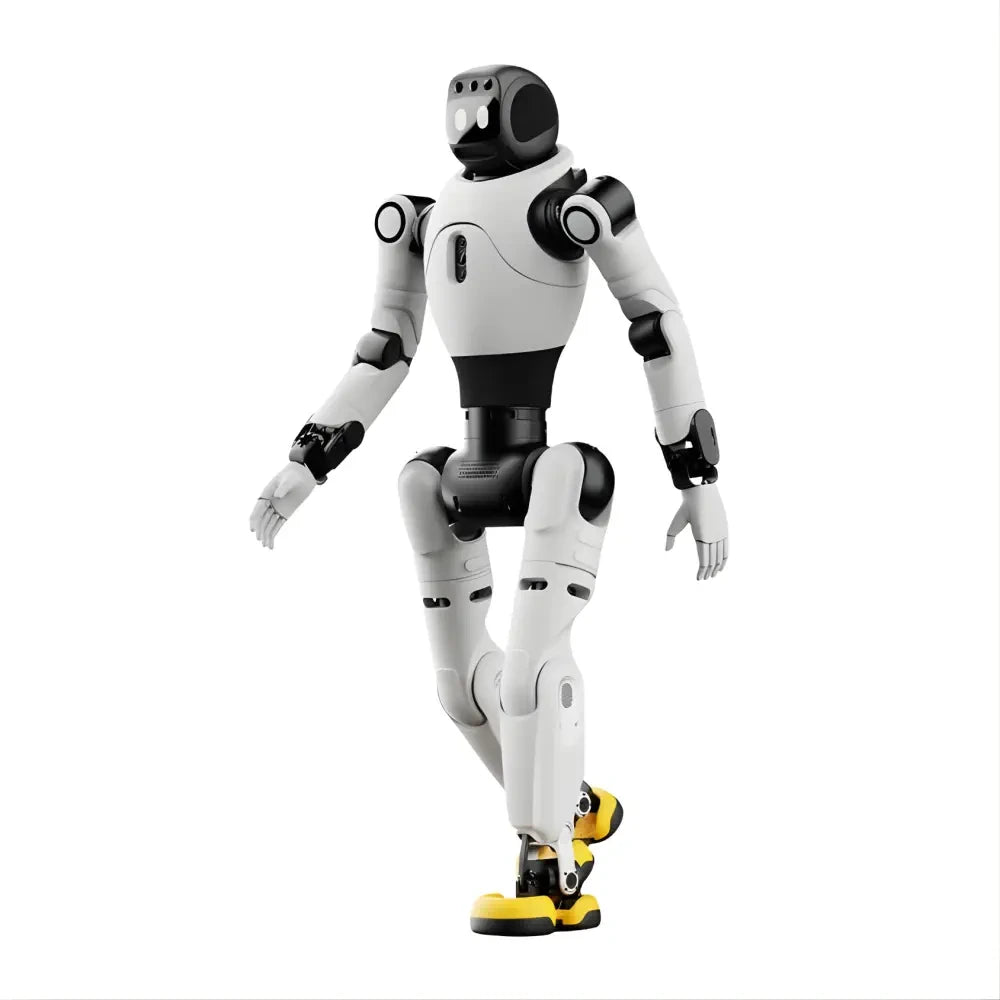























Which AgiBot D1 should you choose?
Choose AgiBot D1 Pro for standard motion, training and demonstrations when you do not need the official secondary-development path or payload interfaces.
Choose AgiBot D1 Edu for an indoor university course or robotics lab that needs the SDK, ROS 2 low-level control, simulation assets and expansion ports.
Choose AgiBot D1 Ultra when you need the same development route with IP54 protection for field-oriented research, security or inspection work.
The quickest rule is simple. If your project needs custom sensors or ROS 2 development, skip Pro. If an IP32 indoor platform is enough, choose Edu; if the robot itself needs IP54, choose Ultra.
AgiBot D1 Pro vs D1 Edu vs D1 Ultra at a glance
Pro and Edu share the same core mobility specifications. Edu changes the development access. Ultra keeps the 5 kg payload and 48 N·m joint torque while increasing top speed and adding stronger protection.
| Specification | D1 Pro | D1 Edu | D1 Ultra |
|---|---|---|---|
| Best for | Standard motion, training and demonstrations | Indoor education, research and SDK development | Field-oriented research and inspection requiring IP54 |
| Standing dimensions | 635 × 360 × 420 mm | 635 × 360 × 420 mm | 630 × 360 × 420 mm |
| Maximum speed | 3.5 m/s | 3.5 m/s | 3.7 m/s |
| Effective payload | 5 kg | 5 kg | 5 kg |
| Range | 6 ± 1 km | 6 ± 1 km | 6 ± 1 km |
| Continuous stair height | 16 cm | 16 cm | 16 cm |
| Maximum slope | 40° | 40° | 40° |
| Jump height | 35 cm | 35 cm | 35 cm |
| Peak joint torque | 48 N·m | 48 N·m | 48 N·m |
| Secondary development | Not supported | Supported | Supported |
| Expansion interfaces | None | Ethernet, USB, power, SBUS and UART | Ethernet, USB, power, SBUS and UART |
| Simulation resources | No supported development path | URDF, Isaac Sim and MuJoCo | URDF, Isaac Sim and MuJoCo |
D1 Pro and D1 Edu each weigh 15.5 kg including the battery and list 1–2 hours of operating time. Their near-identical motion specs are why development access—not speed—separates these two models.
Which D1 model fits your project?
| Project goal | Better choice | Reason |
|---|---|---|
| Standard motion demonstration | D1 Pro | Runs standard actions without paying for a development interface you will not use |
| University robotics course | D1 Edu | Adds the SDK, ROS 2 low-level control, simulation resources and payload interfaces |
| Indoor research with custom sensors | D1 Edu | Provides Ethernet, USB, power, SBUS and UART for an external development system |
| Field-oriented inspection research | D1 Ultra | Adds IP54 protection and stronger impact-resistance positioning to the development platform |
| Autonomous inspection prototype | D1 Ultra plus an external autonomy stack | LiDAR, compute, SLAM, communications and application software must be integrated around the robot |
Pro is the cleanest match when the job ends with standard locomotion and presentation. Edu is the development model for controlled indoor environments. Ultra is the field-oriented development model.
Does D1 Pro support secondary development?
No. AGIBOT lists secondary development as unsupported on D1 Pro and lists no expansion interfaces for the model.
That makes Pro suitable for standard actions, real-time image transmission and demonstrations. It is not an Edu configuration waiting for an SDK switch to be enabled later.
If your roadmap includes custom sensors, an external GPU, ROS 2 control or payload integration, start with D1 Edu or D1 Ultra.
Do D1 Edu and D1 Ultra need an external computer?
Yes, for user development workloads. AGIBOT says Pro, Edu and Ultra each have 6 TOPS of built-in compute, but that compute is not open for user secondary development.
Edu and Ultra use an external control box or GPU for custom workloads. The external computer communicates with the robot through the standard SDK and internal network.
Both models support ROS 2 low-level control in speed-control mode. Their Ethernet, USB, power, SBUS and UART ports provide the physical links for compute and payload integration.
AGIBOT does not open the leg-motor drive interface or the motor/controller control-layer protocol. Development takes place through the supported SDK and documented low-level control interface.
URDF models and support for Isaac Sim and MuJoCo let you prepare simulation and integration work before moving it to the robot. They do not provide direct access to the closed motor protocol.
D1 Edu vs D1 Ultra: IP32 or IP54?
If you already need secondary development, environmental protection becomes the clearest difference between Edu and Ultra.
D1 Edu is rated IP32. It is the natural choice for classrooms and controlled indoor laboratories where stronger dust and splash protection is not part of the task.
D1 Ultra is rated IP54. AGIBOT also identifies protection and impact resistance as the main differences between Edu and Ultra, while describing their core performance as broadly similar.
Choose Ultra when the robot platform needs that higher protection level. Remember that a mounted LiDAR, external computer, cable or enclosure has its own environmental limits.
What do 5 kg payload and 8 kg maximum load mean?
All three D1 models list a 5 kg effective payload. AGIBOT defines this as the continuous load the robot can carry without the motors stopping from overheating before the battery is depleted.
The separate 8 kg maximum load is a short-term extreme value. Running at that load for more than roughly ten minutes may trigger motor overheating and shutdown, depending on the model and operating conditions.
For a realistic payload calculation, add the weight of the sensor, external computer, bracket, enclosure, cables and power-conversion hardware. The complete mounted system counts toward the payload.
Does D1 Ultra include LiDAR, SLAM or autonomous navigation?
No. The standard D1 Ultra supports expansion, but it does not arrive as a complete autonomous inspection robot.
| Target function | Standard D1 Ultra | What you still need |
|---|---|---|
| LiDAR localization | LiDAR-compatible expansion platform | LiDAR or positioning module, mounting, power, calibration and software |
| SLAM and autonomous navigation | Not included | Perception hardware, external compute, localization, mapping and planning software |
| LLM or VLN interaction | Not included | The selected model, application software, sensors and development compute |
| Intelligent follow | Requires secondary development | Perception, tracking logic and the application workflow |
| Remote monitoring or data connection | Supports expansion modules | Suitable image-transmission or 4G/5G module plus integration software |
Ultra provides the mobile base, open SDK and interfaces. An autonomous system adds perception, localization, planning, communications, external compute and application logic around that base.
AGIBOT lists positioning modules, LiDAR, depth cameras, RTK, 4G/5G and image-transmission modules as compatible expansion directions. It does not name one required sensor or compute model for every project.
If you are planning that wider stack, the embodied AI hardware guide explains how sensing, compute and motion hardware fit together.
Five questions to ask before you buy
- Do you need SDK or ROS 2 development? Choose Edu or Ultra; Pro does not support secondary development.
- Which devices must connect? Map each sensor or computer to Ethernet, USB, power, SBUS or UART.
- Is the workspace controlled indoors? Edu provides IP32; choose Ultra when the robot platform needs IP54.
- What is the complete mounted weight? Keep sensors, compute, brackets, cables and enclosures within the 5 kg continuous payload.
- Are autonomy features part of the goal? Add the required sensors, external compute and software instead of treating them as standard Ultra functions.
Compare the AgiBot D1 models
Use the three OpenELAB product pages below after you have chosen the required development access, protection level and expansion hardware.