
 openelab.de
 openelab.com










































Hiwonder JetAuto AI ROS Robot Car Kit – Jetson/RPi 5, SLAM & Vision
Shipping from China within 5–10 working days
- During check out, you can choose direct shipping from China, or let us import the order to our EU/US office first and ship it to you locally.
- Import customs clearance and VAT are fully handled by us.
Need a larger quantity?
Need bulk pricing?
Get a formal quotation with lead time and volume pricing.
For universities, companies, distributors, and project orders.
Hiwonder JetAuto AI ROS Robot Car Kit – Jetson/RPi 5, SLAM & Vision
Built for users who want to learn, research, or develop autonomous robots without starting from low-level hardware integration.
Hiwonder JetAuto is an integrated ROS and AI mobile robot development platform designed to shorten the path from hardware setup to real robotics development. With an omnidirectional Mecanum-wheel chassis, LiDAR, configurable Raspberry Pi 5 or NVIDIA Jetson computing, and optional depth-vision hardware, JetAuto provides a ready-to-develop foundation for ROS learning, SLAM mapping, autonomous navigation, computer vision, AI perception, and robotics research.
Instead of sourcing motors, controllers, sensors, chassis components, and computing hardware separately, users can start with an integrated robotic platform and focus more directly on ROS, navigation algorithms, perception, AI applications, and secondary development.
Choose from Starter, Standard, Advanced, or Ultimate hardware kits, then pair the selected kit with a compatible Raspberry Pi 5 or NVIDIA Jetson controller based on the computing performance, AI workload, and project complexity you require.
Important configuration notice: This product includes multiple kit and controller combinations. Hardware such as the depth camera, display, microphone array, and upgraded LiDAR is only included with selected kits. Options marked Without Controller do not include a Raspberry Pi or NVIDIA Jetson computing board and require users to install a compatible controller and complete the necessary system configuration before use.

What can you build with JetAuto?
| Project direction | Example projects | Recommended configuration |
|---|---|---|
| ROS mobile robotics | ROS nodes and topics, Mecanum kinematics, velocity control, sensor integration and remote control | Starter Kit with Raspberry Pi 5 or Jetson |
| LiDAR SLAM | Indoor map building, robot localization, map saving and LiDAR obstacle detection | Starter Kit or above |
| Autonomous navigation | Point-to-point navigation, multi-point cruising, path planning and obstacle avoidance | Starter Kit or above |
| AI vision | Color recognition, line following, QR-code recognition, object tracking and human recognition | Standard Kit or above |
| 3D perception | Depth measurement, 3D point clouds, spatial perception and depth-based tracking | Standard Kit or above with a suitable controller |
| Voice interaction | Wake-word detection, spoken commands and voice-controlled navigation workflows | Advanced or Ultimate Kit |
| Multimodal and embodied AI | Scene understanding, visual question answering, natural-language commands and OpenClaw agent workflows | Advanced or Ultimate Kit with Jetson Orin |
| Simulation and education | Gazebo simulation, ROS visualization, algorithm testing and structured robotics courses | Choose the controller required by your course environment |
OpenClaw note: OpenClaw refers to the supported software-agent workflow. JetAuto does not include a physical robotic claw or robotic arm. For mobile manipulation, gripping and sorting projects, compare the Hiwonder JetAuto Pro.
Choose the right JetAuto kit
Select the hardware kit according to the sensors and interaction functions required by your project. Do not choose only by controller performance—a more powerful controller cannot replace hardware that is not included in the selected kit.
| Kit | LiDAR | 3D Depth Camera | 7" Display | 6-Microphone Array | Primary Use |
| Starter Kit | SLAMTEC A1 | ❌ | ❌ | ❌ | ROS, Chassis, Basic SLAM |
| Standard Kit | SLAMTEC A1 | ✅ | ❌ | ❌ | SLAM + 3D Vision |
| Advanced Kit | SLAMTEC A1 | ✅ | ✅ | ✅ | Complete ROS / AI / Voice Training |
| Ultimate Kit | EAI G4 | ✅ | ✅ | ✅ | Advanced + Higher-End LiDAR |
| Kit | Best for | Project scope | Who should choose it? |
|---|---|---|---|
| Starter Kit | ROS, LiDAR SLAM and navigation | Motion control, mapping, localization, path planning and autonomous navigation | Beginners, ROS courses and customers who do not need depth vision or voice interaction |
| Standard Kit | Navigation plus depth vision | SLAM, depth measurement, point clouds, tracking and visual-perception projects | Students and developers who need camera-based perception but not a complete voice-interaction package |
| Advanced Kit | Navigation, vision and voice interaction | Depth vision, AI recognition, on-robot interaction, spoken commands and multimodal demonstrations | University labs, capstone projects and customers seeking the broadest general-purpose project coverage |
| Ultimate Kit | Higher-spec navigation and complete sensing | Advanced and multimodal projects with an upgraded EAI G4 LiDAR for greater scanning range and navigation capability | Research teams, institutions and users working with larger or more demanding indoor navigation environments |

Package reminder: use the selected product variant and the current kit-comparison image as the final reference for included hardware. Contact OpenELAB before ordering when your project depends on a specific camera, display, microphone or LiDAR model.
Choose the right controller
After selecting the hardware kit, choose the computing platform based on your software environment and AI workload.
| Controller option | Recommended use | Selection guidance |
|---|---|---|
| Without Controller | Customers who already own a compatible board | The computing board is not included. Choose this only if you can install the controller, flash the required system image and complete the software configuration yourself. |
| Raspberry Pi 5 8GB | ROS 2, SLAM, navigation, OpenCV and classroom learning | A practical option for robotics education and navigation projects that do not require heavy GPU-accelerated inference. |
| Jetson Nano 4GB | Existing Jetson Nano courses and entry-level CUDA experiments | Suitable for legacy Jetson workflows, but less appropriate for demanding current AI and multimodal applications. |
| Jetson Orin Nano Super 4GB | Entry-level Jetson AI vision | Choose it for accelerated vision projects with controlled memory requirements. |
| Jetson Orin Nano Super 8GB | ROS 2, AI vision, depth perception and multimodal projects | Best overall choice for most AI robotics users. It provides a stronger balance of performance, memory and cost. |
| Jetson Orin NX Super 16GB | Local models, multiple AI pipelines and advanced research | Choose it for the highest available performance, larger workloads and projects that require more memory headroom. |

Recommended configurations
| Recommendation | Configuration | Choose it for |
|---|---|---|
| Budget ROS and SLAM | Starter Kit + Raspberry Pi 5 8GB | ROS 2 learning, Mecanum motion, LiDAR mapping and autonomous navigation |
| Best overall AI robot | Advanced Kit + Jetson Orin Nano Super 8GB | Navigation, depth vision, AI recognition, voice interaction and multimodal projects |
| Maximum research performance | Ultimate Kit + Jetson Orin NX Super 16GB | Advanced navigation, local AI workloads, multiple perception pipelines and institutional research |
ROS and autonomous navigation platform
JetAuto combines a four-wheel Mecanum chassis with LiDAR sensing and ROS-based software resources. The platform can move forward, backward, sideways, diagonally and rotate in place, making it suitable for motion-control experiments in indoor environments where conventional steering would be restrictive.
LiDAR-equipped configurations support projects such as map construction, localization, autonomous navigation, multi-point cruising, path planning and obstacle avoidance. The available official courses provide a structured route from basic motion control to mapping and navigation workflows.


Depth vision and AI perception
Configurations with a 3D depth camera can combine color images with depth information for projects that require more than standard 2D recognition. Example applications include distance measurement, 3D point-cloud generation, human tracking, object localization and environment perception.
Jetson configurations add GPU-accelerated computing for AI vision and deep-learning workflows. The exact model performance and available demonstrations depend on the selected controller, memory capacity, system image and software environment.


Voice, multimodal AI and OpenClaw workflows
Supported configurations can combine visual perception with microphone-based voice input for natural-language commands and interactive robotics demonstrations. Projects may include spoken navigation instructions, scene understanding, visual question answering and software-agent task workflows.
Online AI functions may require an internet connection, a compatible third-party service, an API account or usage fees. Local model availability depends on the selected Jetson controller, model size, system resources and the software supplied for that configuration.


Official JetAuto videos
Progressive robotics learning
Beginner projects
- Mobile app or controller operation
- Mecanum-wheel motion and velocity control
- ROS nodes, topics and communication
- LiDAR ranging and obstacle detection
Intermediate projects
- Manual and autonomous map building
- Localization and autonomous navigation
- Color recognition and object tracking
- Line following and QR-code recognition
- Depth measurement and point-cloud experiments
Advanced projects
- AI vision and human-perception applications
- Voice-controlled robot interaction
- Multimodal AI and scene understanding
- Gazebo and ROS visualization workflows
- Local AI model experiments on supported Jetson configurations
Official tutorials include quick-start instructions, hardware setup, motion control, LiDAR, mapping, navigation, depth vision, machine learning and additional ROS project resources.
View the official Hiwonder JetAuto documentation
Core specifications
| Product type | Configurable AI ROS mobile robot and educational robot car |
|---|---|
| Drive system | Four-wheel Mecanum omnidirectional chassis |
| Kit levels | Starter, Standard, Advanced and Ultimate |
| Controller options | Without Controller, Raspberry Pi 5 8GB, Jetson Nano 4GB, Jetson Orin Nano Super and Jetson Orin NX Super options, depending on the selected kit |
| Navigation sensors | SLAMTEC A1 or upgraded EAI G4 LiDAR, depending on kit |
| Vision hardware | 3D depth camera on applicable configurations |
| Voice hardware | Microphone-array interaction hardware on applicable configurations |
| Programming | Python, C, C++ and JavaScript resources |
| Communication | USB, Wi-Fi and Ethernet |
| Approximate size | 302 × 260 × 256 mm |
| Approximate weight | 3.5 kg |
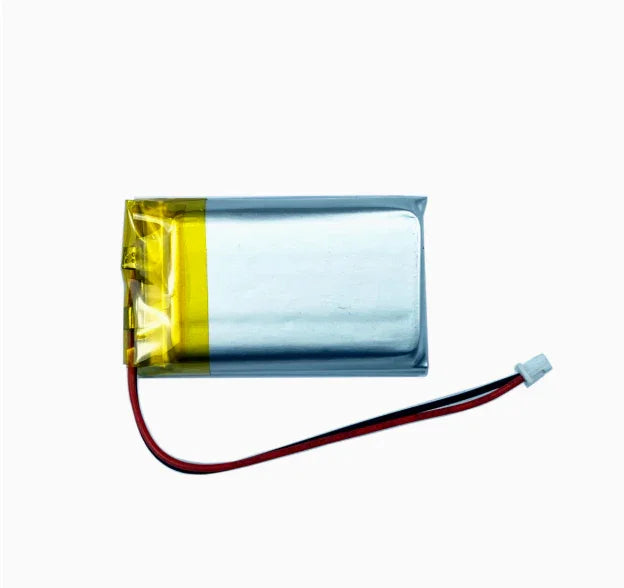
| Battery | 11.1V 6000mAh lithium battery |
| Rated working time | Approximately 60 minutes under the manufacturer's test conditions; actual runtime varies by controller, workload and accessories |
| Operating system and ROS version | Varies by controller and supplied system image. Confirm the required Ubuntu, Debian, JetPack, ROS 1 or ROS 2 environment before ordering. |

Before you order
- Confirm the hardware kit: choose Starter, Standard, Advanced or Ultimate according to the required LiDAR, camera, display and voice hardware.
- Confirm the controller: choose Raspberry Pi 5 for general ROS and navigation learning or Jetson Orin for more demanding AI workloads.
- Check the software environment: ROS, operating-system and JetPack versions may differ between controller options.
- Plan for setup: first use may require hardware inspection, network configuration, remote access and system-image setup.
- Check AI service requirements: some online AI demonstrations require internet access, third-party accounts or API usage.
- Use it on suitable surfaces: JetAuto is primarily designed for indoor robotics experiments on stable, relatively flat floors.
- Do not confuse JetAuto with JetAuto Pro: the standard JetAuto platform does not include the 6DOF robotic arm used for gripping and sorting.
Why buy JetAuto from OpenELAB?
- Configuration assistance: contact OpenELAB before ordering to verify the kit, controller and software environment required by your project.
- Clear multi-variant purchasing: choose the robot hardware level and computing controller from one product listing.
- Educational and business purchasing: request bulk pricing for classrooms, laboratories, companies and integration projects.
- Order and delivery support: receive order tracking and consult OpenELAB regarding delivery options for your destination.
- After-sales contact: use OpenELAB as a direct point of contact for order questions, configuration issues and applicable return or warranty support.
Not sure which configuration to choose? Send OpenELAB your intended project, required ROS environment, AI workload and budget before ordering. The team can help identify whether you need a Starter, Standard, Advanced or Ultimate kit and whether Raspberry Pi 5, Orin Nano or Orin NX is the appropriate controller.
Hiwonder Wiki
Hiwonder GitHub
GitHub - Hiwonder/JetAuto · GitHub
Frequently asked questions
Does JetAuto include a robotic arm or claw?
No. JetAuto is a mobile robot platform for movement, navigation, perception and interaction. OpenClaw is a software-agent function, not a physical claw. Choose JetAuto Pro when your project requires a 6DOF robotic arm for gripping or sorting.
Which JetAuto configuration is best for ROS 2 and SLAM?
Starter Kit with Raspberry Pi 5 8GB is a practical entry configuration for ROS 2 motion control, LiDAR mapping and autonomous navigation. Select a Jetson controller when you also require accelerated AI workloads.
Which kit should I choose for depth vision?
Choose Standard Kit or above. Confirm that the exact selected variant includes the required 3D depth camera before checkout.
Which kit supports voice interaction?
Choose an Advanced or Ultimate configuration that includes the required microphone-array hardware. Controller and software compatibility must also be considered.
Which controller offers the best balance?
Jetson Orin Nano Super 8GB is the recommended general-purpose option for customers combining ROS 2, SLAM, depth vision and AI projects.
When should I choose Jetson Orin NX Super 16GB?
Choose Orin NX Super 16GB for larger local models, multiple AI pipelines, heavier perception workloads or projects that need additional memory and computing headroom.
What does Without Controller mean?
The Raspberry Pi or NVIDIA Jetson computing board is not included. This configuration is intended for customers who already own a compatible controller and can install the board, operating system and required software.
Does every configuration support OpenClaw and multimodal AI?
No. OpenClaw, voice, depth vision and local AI capabilities depend on the selected hardware kit, controller, system image and software environment.
Can JetAuto run without an internet connection?
Core robot control, ROS development and many navigation projects can operate locally after setup. Online language-model or cloud AI functions may require an internet connection and third-party services.
Are third-party AI accounts included?
Not necessarily. Some demonstrations may require customers to create their own accounts, supply API credentials or pay third-party usage fees.
What is the difference between JetAuto and JetAuto Pro?
JetAuto focuses on mobile robotics, SLAM, navigation, vision and interaction. JetAuto Pro adds a 6DOF robotic arm for manipulation, gripping and sorting applications.
Where can I find tutorials?
Hiwonder provides official JetAuto documentation covering setup, controls, ROS, LiDAR, mapping, navigation, vision and AI project workflows. OpenELAB can also assist with product and configuration questions.
1. General Shipping Information
- We provide reliable shipping services with a tracking number for each order.
- Shipping addresses must be entered in English and should not contain special symbols, so that the courier system can recognize your location correctly.
- Please make sure your shipping address is accurate before placing your order. We ship strictly according to the address provided at checkout.
- In-stock orders are usually dispatched within 1 business day after order confirmation.
- Estimated delivery times refer to the period after dispatch and do not include order processing time, weekends, public holidays, customs inspection, or force majeure delays.
- If you need to cancel or modify your order, please contact us before the order is marked as “Shipped”. Once shipped, the order cannot be canceled or changed.
🚀 Need Faster Shipping?
If you require expedited shipping, please contact our customer support team at info@openelab.io for a customized quote based on your destination.
2. Shipping Rates & Options
Shipping rates are calculated based on order value, destination, and available shipping methods. The final available options will be displayed at checkout.
2.1 Germany Domestic Shipping
| Shipping Method | Order Value | Cost | Est. Delivery |
|---|---|---|---|
| Deutsche Post | €0.00 - €50.00 | €4.95 | 2-4 Business Days |
| Deutsche Post | Over €50.00 | Free | 2-4 Business Days |
|
DHL Paket (Faster Delivery) |
€0.00 - €50.00 | €6.95 | 1-3 Business Days |
|
DHL Paket (Faster Delivery) |
€50.00 - €100.00 | €2.00 | 1-3 Business Days |
|
DHL Paket (Faster Delivery) |
Over €100.00 | Free | 1-3 Business Days |
2.2 Selected EU Countries / Regions
Available EU shipping destinations are shown at checkout based on your shipping address. For orders shipped to selected EU countries or regions outside Germany, we use FedEx Regional Economy.
| Shipping Method | Order Value | Cost | Est. Delivery |
|---|---|---|---|
| FedEx Regional Economy | €0.00 - €100.00 | €7.95 | 3-5 Business Days |
| FedEx Regional Economy | Over €100.00 | Free | 3-5 Business Days |
EU orders may be fulfilled from our Munich warehouse or, when applicable, from our Shenzhen warehouse depending on inventory availability. For EU member states, OpenELAB covers applicable import duties and taxes under DDP service where required.
2.3 United States
| Region | Shipping Method | Order Value | Cost | Est. Delivery |
|---|---|---|---|---|
|
Continental U.S. (50 States) |
USPS Ground Advantage | €0.00 - €45.00 | €4.95 | 3-7 Business Days |
| USPS Ground Advantage | Over €45.00 | Free | 3-7 Business Days | |
| USPS Priority Mail | €0.00 - €45.00 | €16.95 | 1-4 Business Days | |
| USPS Priority Mail | Over €45.00 | €14.95 | 1-4 Business Days | |
|
Non-Continental U.S. (AK, HI, PR, etc.) |
USPS Ground Advantage | €0.00 - €60.00 | €6.95 | 5-9 Business Days |
| USPS Ground Advantage | Over €60.00 | Free | 5-9 Business Days |
Non-Continental U.S. regions include Alaska, American Samoa, Guam, Hawaii, the Marshall Islands, the Northern Mariana Islands, Palau, Puerto Rico, the U.S. Virgin Islands, and U.S. Armed Forces addresses.
2.4 International Destinations Outside the EU
For selected international destinations outside the EU, including Switzerland, the United Kingdom, and Norway, shipping rates are as follows:
| Order Amount | Shipping Cost |
|---|---|
| €0.00 - €300.00 | €19.95 |
| Over €300.00 | Free |
For non-EU destinations, import duties, taxes, and customs fees may be charged by the destination country and are the responsibility of the recipient.
3. Warehouses & Fulfillment
Our products may be stored in our Munich, Arlington, and Shenzhen warehouses. The actual shipping warehouse depends on product availability and destination.
3.1 Munich Warehouse
For products stored in our Munich warehouse, we use Deutsche Post or DHL Paket for domestic deliveries within Germany. For selected EU destinations outside Germany, we use FedEx Regional Economy.
3.2 Arlington Warehouse
For products stored in our Arlington warehouse, we use USPS or UPS for deliveries within the United States.
3.3 Shenzhen Warehouse
For pre-order items or products fulfilled directly from our Shenzhen warehouse, we arrange reliable international shipping based on destination and inventory status. For EU member states, OpenELAB covers applicable import duties and taxes under DDP service where required.
4. Inventory, Pre-orders & Split Shipments
- Inventory Status: Please check the product page for real-time stock information. If an item is out of stock in our local warehouses, it may be marked as “Pre-order”.
- Pre-order Fulfillment: Pre-order items may be shipped directly from Shenzhen or restocked to a local warehouse first before final delivery.
- Split Shipments: If your order contains both in-stock and pre-order items, we may ship them separately. No additional shipping fee will be charged for split shipments caused by our fulfillment arrangement.
5. Customs, Taxes & Delivery Issues
5.1 Customs and Taxes
For EU Member States:
Whether shipped from Germany or China, OpenELAB covers applicable import duties and taxes under DDP service where required. Customers in EU member states should not be charged additional import duties or VAT upon delivery.
For destinations outside the European Union, such as Switzerland, Norway, and the United Kingdom, import duties, taxes, and customs fees may be charged by local authorities upon delivery. These fees are the responsibility of the recipient.
5.2 Damaged, Delayed, or Lost Parcels
Please inspect your parcel upon delivery where possible. If you notice visible damage, please report it to the courier and contact us as soon as possible. This does not affect your statutory consumer rights.
If your parcel is delayed, lost, returned to sender, or the tracking information has not updated for an unusual period of time, please contact us at info@openelab.io. We will assist you in checking the shipment status with the courier.
5.3 Incorrect Address or Failed Delivery
If a parcel cannot be delivered due to an incorrect or incomplete address provided by the customer, refusal of delivery, or failure to collect the parcel, additional shipping or return costs may apply.
6. VAT
For orders within the EU, VAT is collected at checkout according to the applicable destination rules. No additional VAT should be collected upon delivery for EU member state orders covered under our DDP shipping arrangement.


