 openelab.de
 openelab.com








































ELEGOO Centauri Carbon 2 Combo 4-Color FDM Printer
Need a larger quantity?
Need bulk pricing?
Get a formal quotation with lead time and volume pricing.
For universities, companies, distributors, and project orders.
Free 4 kg Filament Gift with Your Printer
Purchase the ELEGOO Centauri Carbon 2 Combo and receive 4 kg of assorted filament at no extra cost.
Print in Four Colours. Move at Up to 500 mm/s. Create Without Compromise.
Bring colourful models and durable functional parts to life with the ELEGOO Centauri Carbon 2 Combo—a fully enclosed CoreXY 3D printer built for fast, reliable and accessible multicolour printing.
The integrated CANVAS four-channel filament system automates colour changes, filament loading and backup refilling, while the 350°C hardened-steel nozzle expands your options from everyday PLA and PETG to demanding technical and fibre-reinforced materials.
With a printing speed of up to 500 mm/s, acceleration of up to 20,000 mm/s², automatic calibration and intelligent print monitoring, you can spend less time preparing the machine and more time creating.
Whether you are producing multicolour display models, functional prototypes, customised parts, classroom projects or small-batch products, the Centauri Carbon 2 Combo delivers the speed, versatility and automation needed to keep your workflow moving.
Continue below to explore the CANVAS multicolour system, high-temperature material support, intelligent chamber control and automated printing features.


Multicolour 3D Printing with Canvas

Automatic Filament Refilling
Automatic Filament Refilling enables seamless, long-duration 3D printing. When Filament Spool 1 runs out, the system automatically switches to Filament Spool 2, helping you use materials fully and stay focused on your work without frequent interruptions. Enjoy more continuous, unattended printing with smoother filament changeover.

RFID Filament Identification for Faster, More Accurate 3D Printing
RFID Filament Identification makes filament setup faster and more accurate. With an intelligent RFID reader, simply place the filament spool in position and CANVAS can automatically identify the filament’s color, type, and more details. It then recognizes and matches the correct parameters to streamline the printing process and elevate your overall printing experience.

RFID Paper Tray & ELEGOO Tray for an Organized, Smarter 3D Printing Workflow
RFID Paper Tray & ELEGOO Tray keep your 3D printing workflow organized and convenient. With RFID-enabled trays, the printer can quickly recognize filament information and route it correctly during printing. The Paper Tray and ELEGOO Tray setup help streamline filament loading, while the layout includes clearly labeled options like Transparent Tray for flexible material management.
350 °C High-Temperature Nozzle
CoreXY Architecture and Rigid Construction
Intelligent Chamber and Precision Control
Efficient Calibration and Touchscreen Operation
Modular Assembly for Quick, Clean 3D Printer Setup
Modular Assembly lets you set up your 3D printer quickly with a simple, clean design. The modular structure is easy to assemble and looks great, helping you get started faster and enjoy an excellent printing experience right away.
Official Feature Notes
Based on ELEGOO's official Centauri Carbon 2 Combo information, the CANVAS multi-color system adds tangle-prevention monitoring, independent motor control, and shortened filament feed paths to make material switching more stable during 4-color prints.
The Smart Grille thermal cover can automatically open or close to help manage chamber temperature, while the motion platform uses dual 4260 stepper motors and metal linear guide rods for rigid CoreXY movement.
The printer's 31-sensor monitoring system covers filament tray and material status, clog detection, cutter status, heatbed detection, exhaust grille checks, fan self-checks, and part-cooling fan drop alerts.
For calibration and print consistency, official features include automatic Z-offset, pressure advance calibration, and active vibration compensation.
Software workflow support includes ELEGOO Slicer, OrcaSlicer, Nexprint, and ELEGOO Matrix, alongside Wi-Fi/USB operation and camera-based monitoring.
Usage notes: spools with an inner diameter of 53-58 mm may require a spool adapter; TPU printing requires the Flexible Filament Adapter and the CANVAS connection cable should be disconnected; when printing carbon-fiber or glass-fiber reinforced materials, regularly check CANVAS feed parts for wear.
Specifications
| Category | Parameter | Value |
|---|---|---|
| General | Printer Dimensions | 500 × 480 × 743 mm |
| Net Weight | 19.35 kg | |
| Build Volume | 256 × 256 × 256 mm | |
| Performance | Maximum Printing Speed | 500 mm/s |
| Maximum Acceleration | 20000 mm/s² | |
| Maximum Heated Bed Temperature | 110 °C | |
| Maximum Printing Temperature | 350 °C | |
| Extrusion | Nozzle Diameter | 0.4 mm |
| Filament Diameter | 1.75 mm | |
| Build Plate | Type | PLA-specific and textured PEI, double-sided |
| Calibration | Leveling | Automatic, 121 points |
| Materials | Recommended Filaments | PLA, PETG, TPU, PLA-CF |
| Software | Slicer | Elegoo Slicer, Orca |
| Supported Formats | STL, OBJ, 3MF, STEP | |
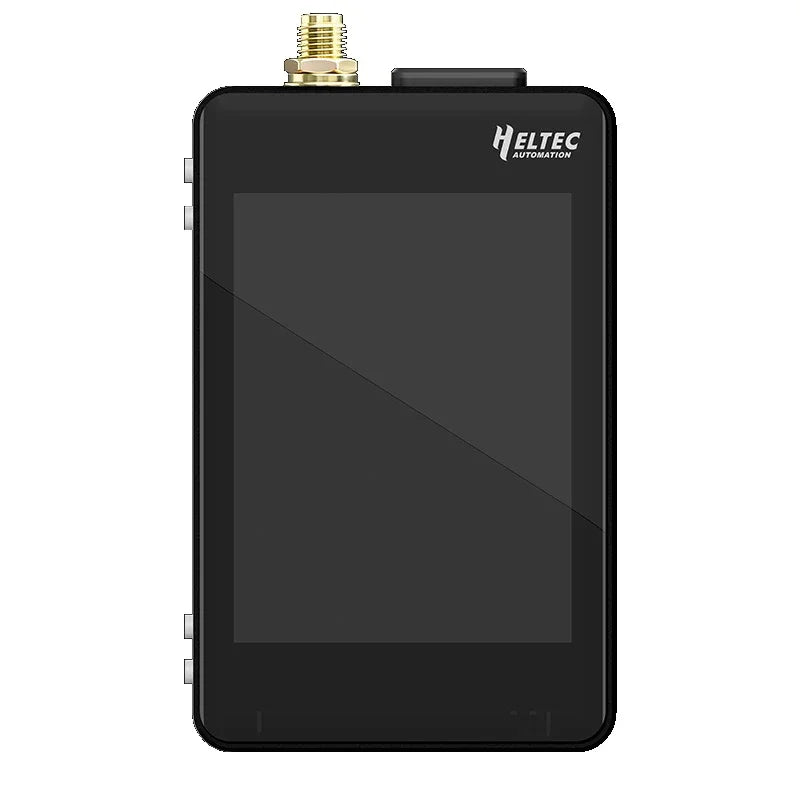
| User Interface | Display | 5-inch full-colour capacitive touchscreen |
| Camera | Yes (AI Intelligent Detection & Time-lapse) | |
| LED Light | Yes | |
| Connectivity | Interface | USB, WiFi |
| Air Management | Air Purification | HEPA + activated carbon (coconut shell) |
| Power | Input | 100–240 VAC, 50/60 Hz |
| Consumption | 1100 W @ 220 V; 350 W @ 110 V | |
| Output | 24 V | |
| Languages | Supported | English, French, German, Russian, Italian, Spanish, Japanese, Mandarin |
ELEGOO CC Series Parameter Comparison
| Category |  Centauri Carbon 2 |
 Centauri Carbon |
|---|---|---|
| Frame | Aluminum alloy die-casting + aluminum alloy extrusions | Aluminum alloy die-casting + aluminum alloy extrusions |
| Extruder Gear | Dual-gear hardened proximal extruder (hardened steel) | Dual-gear hardened proximal extruder (hardened steel) |
| Nozzle Material | Brass + hardened steel combination | Brass + hardened steel combination |
| Mainboard Cooling Fan | 4020 axial flow fan (three-wire speed control) | 4020 axial flow fan (three-wire speed control) |
| Model Cooling Fan | 5020 blower fan (four-wire closed-loop control) | 5020 blower fan (four-wire closed-loop control) |
| Model Auxiliary Cooling Fan | 12032 blower fan (four-wire closed-loop control) | 7530 blower fan (two-wire control) |
| Chassis Temperature Control Fan | 12025 axial flow fan (four-wire closed-loop control) | 8020 axial flow fan (two-wire control) |
| Air Purifier | First-stage HEPA H12 filter + first-stage coconut shell activated carbon | Carbon nanocrystalline particles |
| Primary Filter Rating | G3 | — |
| HEPA Filter Rating | H12 | — |
| VOC Filtration | Excellence | Support |
| Particle Filtration | Yes | No |


Package Contents Table
| Item | Quantity |
|---|---|
| Touchscreen | 1 |
| Nozzle Wiper Assembly | 1 |
| Power Cord | 1 |
| 4-Pin Cable | 1 |
| Spool Holder Modules (Left ×2, Right ×2) | 4 |
| Filament Hub | 1 |
| CANVAS Mounting Bracket | 1 |
| Thermal Cover | 1 |
| User Manual | 1 |
| Unclogging Pin | 1 |
| Allen Keys (1.5 / 2.0 / 2.5 / 3.0 mm) | 4 |
| Screwdriver | 1 |
| Filament Sample | 1 |
| Spare Nozzle Wiper | 1 |
| USB Drive | 1 |
| Scraper Blade | 1 |
| PTFE Tubes | 4 |
| PM3×6 — Filament Hub & Nozzle Wiper Assembly | 4 |
| PA3×10 — Scraper Blade | 2 |
| PM3×8 — CANVAS Feeding Module | 3 |
| HM3×14 — Spool Holder | 8 |
| PM3×50 — CANVAS Mounting Bracket | 2 |
| FM3×12 — Nozzle Wiper Assembly | 2 |
ELEGOO Centauri Carbon 2 Combo Downloads
The following official download files are for the Centauri Carbon 2 Combo support workflow, including manuals, test models, and EU compliance documents.
User Manual
Test Model
- 3DBenchy Test Model
- CC2 MINI Test Model
- ELEGOO Nameplate Test Model
- The Buddha Test Model
- Spool Adapter Test Model
- Scraper Test Model
- PTFE Tube Tool Test Model
- Otter Test Model
Euro Compliance
Buyer Notes, Compatibility & OpenELAB Support
For setup, error codes, parts replacement, and how-to guides, use the ELEGOO Centauri Carbon 2 Combo Wiki as a support reference.
Common Questions & Troubleshooting
- Wi-Fi offline or printer not found: confirm that the printer, slicer, and mobile app are on the intended network, then retry Wi-Fi transfer, local LAN workflow, or USB flash drive printing. If the printer shows an error code, record the code and the step where it appears before contacting support.
- CANVAS does not feed filament: check whether the filament path is tangled, the filament tip is cut cleanly, the spool rotates freely, the PTFE path is seated, and the CANVAS cable is connected. Third-party spools may require extra checks for spool size, friction, and filament stiffness.
- First layer does not stick: clean the build plate, run calibration or auto-leveling again, confirm the selected plate profile, and check nozzle temperature, bed temperature, Z offset, print speed, and filament dryness.
- Error codes: do not only clear the warning. Note the exact code, firmware version, material, print stage, and whether the issue happens from Wi-Fi/LAN transfer or USB printing so support can diagnose the failure path.
- Third-party spools: verify that the spool fits the holder and feeds smoothly. ELEGOO notes that the Centauri Carbon 2 Combo spool holder fits spools with a 53-58 mm inner diameter; larger inner diameters may require a printed adapter.
Usage Boundaries
Multi-color FDM printing uses purge, wiping, and color-change routines, so users should expect extra filament waste compared with a single-color print. This is normal for single-tool multi-material systems and should be considered when slicing decorative models, text, logos, or frequent color swaps.
Technical materials such as PC, PET, ASA, PA, and fiber-reinforced filament may need drying, slower speed, higher nozzle temperature, suitable bed adhesion, chamber control, and profile tuning. The printer offers automation and monitoring, but it should not be described as fully automatic or perfect for every filament without setup work.
For TPU and flexible filament workflows, use the required flexible-filament setup recommended for the Combo version and disconnect the CANVAS cable when instructed by the official workflow. Flexible and abrasive materials should be tested conservatively before long prints.
Connection Methods
| Method | Best Use | Notes |
|---|---|---|
| Wi-Fi | Wireless slicing, remote sending, and app-based workflow | Use a stable network and keep the printer firmware and slicer current. |
| LAN / Local Network | Local-network control when cloud or online access is not preferred | Keep the computer and printer on the same network; connection behavior may depend on firmware, slicer, and LAN mode settings. |
| USB Flash Drive | Offline printing, troubleshooting, or network-independent jobs | Useful when Wi-Fi or LAN transfer is unstable, or when testing whether an issue is network-related. |
Filament Compatibility
Official ELEGOO RFID filament can speed up material identification and profile selection in the intended ecosystem. Third-party 1.75 mm filament can still be used when the material type, temperature, drying condition, spool dimensions, and CANVAS feed path are checked manually. For non-RFID materials, select or tune the correct slicer profile instead of assuming automatic recognition.
Spare Parts & Consumables
- Nozzle: keep spare hardened-steel nozzles available, especially when printing abrasive or fiber-reinforced materials.
- PTFE path: replace worn PTFE sections if feed resistance, shaving, or repeated loading failures appear.
- Hotend and heater parts: inspect the hotend if extrusion becomes inconsistent after clogs, temperature errors, or material leaks.
- Feeding parts: check CANVAS feed gears, cutters, spool trays, and filament path parts when color changes become unreliable.
- Filament recommendation: start with dry PLA or PETG for setup, then tune high-temperature, flexible, or fiber-reinforced materials gradually.
Comparison Quick View
| Model | Multi-Color System | Strengths | Buying Notes |
|---|---|---|---|
| ELEGOO Centauri Carbon 2 Combo | CANVAS 4-color system with RFID filament support, auto refill, and tangle monitoring | 350 C hardened-steel nozzle, CoreXY speed, enclosed workflow, and strong value for 4-color FDM printing | Expect purge waste in multi-color jobs; tune technical materials and third-party filament profiles. |
| Bambu Lab P1S Combo | AMS multi-color ecosystem, with expansion possible by adding more AMS units | Mature software ecosystem, enclosed P1S platform, broad user community | Different nozzle temperature class and accessory ecosystem; compare total bundle cost and filament path needs. |
| Creality CFS Combo Models | Creality CFS multi-filament ecosystem on selected K-series models | Often attractive for larger build-volume buyers or Creality ecosystem users | Check exact model, CFS compatibility, nozzle temperature, size, firmware, and after-sales path before comparing. |
| Anycubic ACE / ACE Pro Combo Models | ACE or ACE Pro multi-color ecosystem on selected Kobra models | Good for users comparing budget multicolor packages and filament-drying features on supported models | Check model generation, supported materials, TPU limits, cloud/app workflow, and upgrade path. |
OpenELAB Service
- Pre-sales selection: OpenELAB can help compare CC2 Combo against Bambu, Creality, and Anycubic options based on materials, build volume, color needs, and budget.
- Installation support: customers can ask for setup guidance covering CANVAS loading, slicer setup, USB test printing, calibration, and first-layer checks.
- European customer support: OpenELAB can assist European customers with product selection, order questions, and support routing for this listing.
- After-sales assistance: for Wi-Fi/LAN issues, CANVAS feeding faults, first-layer problems, error codes, and spare-part questions, provide photos, videos, serial information, firmware version, material type, and the exact failure step for faster diagnosis.
Recommended Articles
ELEGOO Centauri Carbon 2 Combo Buying Guide for FDM1. General Shipping Information
- We provide reliable shipping services with a tracking number for each order.
- Shipping addresses must be entered in English and should not contain special symbols, so that the courier system can recognize your location correctly.
- Please make sure your shipping address is accurate before placing your order. We ship strictly according to the address provided at checkout.
- In-stock orders are usually dispatched within 1 business day after order confirmation.
- Estimated delivery times refer to the period after dispatch and do not include order processing time, weekends, public holidays, customs inspection, or force majeure delays.
- If you need to cancel or modify your order, please contact us before the order is marked as “Shipped”. Once shipped, the order cannot be canceled or changed.
🚀 Need Faster Shipping?
If you require expedited shipping, please contact our customer support team at info@openelab.io for a customized quote based on your destination.
2. Shipping Rates & Options
Shipping rates are calculated based on order value, destination, and available shipping methods. The final available options will be displayed at checkout.
2.1 Germany Domestic Shipping
| Shipping Method | Order Value | Cost | Est. Delivery |
|---|---|---|---|
| Deutsche Post | €0.00 - €50.00 | €4.95 | 2-4 Business Days |
| Deutsche Post | Over €50.00 | Free | 2-4 Business Days |
|
DHL Paket (Faster Delivery) |
€0.00 - €50.00 | €6.95 | 1-3 Business Days |
|
DHL Paket (Faster Delivery) |
€50.00 - €100.00 | €2.00 | 1-3 Business Days |
|
DHL Paket (Faster Delivery) |
Over €100.00 | Free | 1-3 Business Days |
2.2 Selected EU Countries / Regions
Available EU shipping destinations are shown at checkout based on your shipping address. For orders shipped to selected EU countries or regions outside Germany, we use FedEx Regional Economy.
| Shipping Method | Order Value | Cost | Est. Delivery |
|---|---|---|---|
| FedEx Regional Economy | €0.00 - €100.00 | €7.95 | 3-5 Business Days |
| FedEx Regional Economy | Over €100.00 | Free | 3-5 Business Days |
EU orders may be fulfilled from our Munich warehouse or, when applicable, from our Shenzhen warehouse depending on inventory availability. For EU member states, OpenELAB covers applicable import duties and taxes under DDP service where required.
2.3 United States
| Region | Shipping Method | Order Value | Cost | Est. Delivery |
|---|---|---|---|---|
|
Continental U.S. (50 States) |
USPS Ground Advantage | €0.00 - €45.00 | €4.95 | 3-7 Business Days |
| USPS Ground Advantage | Over €45.00 | Free | 3-7 Business Days | |
| USPS Priority Mail | €0.00 - €45.00 | €16.95 | 1-4 Business Days | |
| USPS Priority Mail | Over €45.00 | €14.95 | 1-4 Business Days | |
|
Non-Continental U.S. (AK, HI, PR, etc.) |
USPS Ground Advantage | €0.00 - €60.00 | €6.95 | 5-9 Business Days |
| USPS Ground Advantage | Over €60.00 | Free | 5-9 Business Days |
Non-Continental U.S. regions include Alaska, American Samoa, Guam, Hawaii, the Marshall Islands, the Northern Mariana Islands, Palau, Puerto Rico, the U.S. Virgin Islands, and U.S. Armed Forces addresses.
2.4 International Destinations Outside the EU
For selected international destinations outside the EU, including Switzerland, the United Kingdom, and Norway, shipping rates are as follows:
| Order Amount | Shipping Cost |
|---|---|
| €0.00 - €300.00 | €19.95 |
| Over €300.00 | Free |
For non-EU destinations, import duties, taxes, and customs fees may be charged by the destination country and are the responsibility of the recipient.
3. Warehouses & Fulfillment
Our products may be stored in our Munich, Arlington, and Shenzhen warehouses. The actual shipping warehouse depends on product availability and destination.
3.1 Munich Warehouse
For products stored in our Munich warehouse, we use Deutsche Post or DHL Paket for domestic deliveries within Germany. For selected EU destinations outside Germany, we use FedEx Regional Economy.
3.2 Arlington Warehouse
For products stored in our Arlington warehouse, we use USPS or UPS for deliveries within the United States.
3.3 Shenzhen Warehouse
For pre-order items or products fulfilled directly from our Shenzhen warehouse, we arrange reliable international shipping based on destination and inventory status. For EU member states, OpenELAB covers applicable import duties and taxes under DDP service where required.
4. Inventory, Pre-orders & Split Shipments
- Inventory Status: Please check the product page for real-time stock information. If an item is out of stock in our local warehouses, it may be marked as “Pre-order”.
- Pre-order Fulfillment: Pre-order items may be shipped directly from Shenzhen or restocked to a local warehouse first before final delivery.
- Split Shipments: If your order contains both in-stock and pre-order items, we may ship them separately. No additional shipping fee will be charged for split shipments caused by our fulfillment arrangement.
5. Customs, Taxes & Delivery Issues
5.1 Customs and Taxes
For EU Member States:
Whether shipped from Germany or China, OpenELAB covers applicable import duties and taxes under DDP service where required. Customers in EU member states should not be charged additional import duties or VAT upon delivery.
For destinations outside the European Union, such as Switzerland, Norway, and the United Kingdom, import duties, taxes, and customs fees may be charged by local authorities upon delivery. These fees are the responsibility of the recipient.
5.2 Damaged, Delayed, or Lost Parcels
Please inspect your parcel upon delivery where possible. If you notice visible damage, please report it to the courier and contact us as soon as possible. This does not affect your statutory consumer rights.
If your parcel is delayed, lost, returned to sender, or the tracking information has not updated for an unusual period of time, please contact us at info@openelab.io. We will assist you in checking the shipment status with the courier.
5.3 Incorrect Address or Failed Delivery
If a parcel cannot be delivered due to an incorrect or incomplete address provided by the customer, refusal of delivery, or failure to collect the parcel, additional shipping or return costs may apply.
6. VAT
For orders within the EU, VAT is collected at checkout according to the applicable destination rules. No additional VAT should be collected upon delivery for EU member state orders covered under our DDP shipping arrangement.