openelab.de
 openelab.com









































A CNC accessory is not just an add-on. On a desktop CNC router, the cutter, collet, workholding, and optional rotary module decide whether the machine cuts cleanly, holds position, and matches the project you are trying to make. This Genmitsu CNC accessories guide explains how to choose bits, ER11 collets, a vise, and a 4th axis rotary module without treating every accessory as a must-buy upgrade.
The short answer: start with the accessory that solves your current bottleneck. The usual buying order is bits first, correct collets second, workholding or a vise third, and a rotary module last. If your cuts are rough or your projects use different materials, compare router bits first. If your tool shank sizes do not match your spindle setup, choose the correct ER11 collets. If the workpiece moves, solve workholding before buying more cutters. If you want wrapped engraving, cylindrical carving, or indexed multi-side machining, then consider a rotary module.
This guide focuses on OpenELAB CNC accessories for Genmitsu workflows, including the Genmitsu MC40A 1/8in Shank CNC Router Bit Set, Genmitsu MC10A 1/4in Shank CNC Router Bit Set, Genmitsu SN07A 4mm 3-Flute End Mill Set, MRBC08 1/4in nano blue end mills, ER11 Spring Collet Set, Genmitsu Aluminum Bench Vise Clamp, and Genmitsu 4th Axis CNC Rotary Module Kit.
Buying boundary: accessories cannot fix every CNC problem. A better bit does not correct a loose spindle, a collet does not make a weak setup rigid, and a rotary module does not automatically make a flat-bed CNC into a production lathe. Choose accessories based on material, shank size, spindle compatibility, workholding, software workflow, and the project shape.
Browse CNC accessories at OpenELAB

Check Compatibility Before Choosing Accessories
Before choosing a specific accessory, confirm four things: the machine can physically use it, the spindle or router can hold the tool shank, the material matches the cutter and workholding method, and your software workflow supports the job. This matters more than accessory count. A 1/4in cutter, a 4mm aluminum end mill, or a 4th axis rotary module may be the right upgrade for one user and the wrong first purchase for another.
| Check first | Why it matters | Example |
|---|---|---|
| Tool shank size | The collet must match the cutter shank as closely as possible. | 1/8in is 3.175mm, not 3mm. 1/4in is 6.35mm, not 6mm. |
| Spindle and collet system | A bit set is only useful if the machine can hold those tools correctly. | An ER11 1-7mm metric set does not automatically mean a safe 1/4in setup. |
| Machine rigidity and clearance | Larger tools and rotary work can demand more stiffness, Z height, and safe movement. | Many small desktop CNC users are better served by 1/8in tools before trying 1/4in tooling. |
| Material and cutting load | Wood, acrylic, and aluminum need different feeds, speeds, chip clearing, and workholding. | An aluminum-focused end mill still needs rigid clamping and conservative test cuts. |
| Controller and CAM workflow | A rotary module changes setup and software planning. | Confirm controller support, offline controller needs, CAD/CAM workflow, workpiece diameter, tailstock length, and Z-height clearance. |
Quick Answer: Which Genmitsu CNC Accessory Should You Buy First?
| Need | Start here | Why it matters |
|---|---|---|
| General carving, engraving, and learning projects | MC40A 1/8in bit set | Small-shank bits are common on desktop CNC machines and give beginners a broad tool mix for signs, acrylic, wood, and detail work. |
| Stronger tooling for larger cuts after compatibility checks | MC10A 1/4in bit set or MRBC08 1/4in end mills | A larger shank can be more rigid, but only if the spindle, collet, machine rigidity, and work envelope are compatible. |
| Aluminum-focused cutting after the machine setup is ready | SN07A 4mm 3-flute end mill set | Aluminum needs tool geometry, chip evacuation, feed rate, cutting depth, and workholding attention. A general engraving bit is not always the right cutter. |
| Holding different tool shank sizes | ER11 Spring Collet Set 1-7mm | A collet must match the tool shank closely. Poor fit can cause runout, slipping, broken bits, or bad surface finish. |
| Better workholding for small workpieces | Genmitsu Aluminum Bench Vise Clamp | Stable workholding prevents movement, chatter, inconsistent depth, and unsafe cutting. |
| Cylindrical carving or multi-side projects | Genmitsu 4th Axis Rotary Module Kit | A rotary axis is useful for round blanks and indexed work, but it requires compatible machine setup, controller support, clearance, and CAM planning. |
How CNC Accessories Fit Together
The cutting chain is simple in theory: spindle, collet, bit, material, and workholding. In practice, a weak link in that chain can make the whole job fail. A sharp cutter can still chatter if the workpiece moves. A good collet can still fail if the shank size is wrong. A rotary module can still disappoint if the project was actually a flat 2.5D job.
Think of the accessories in this order:
- Bit: chooses the cutting shape, material fit, flute style, and shank size.
- Collet: holds the bit concentrically in the spindle or router system.
- Workholding: keeps the workpiece from moving while the cutter is loaded.
- Rotary module: changes the job from flat-bed cutting to rotation-based machining.
If you are new to desktop CNC, do not buy accessories only because they look advanced. Buy them because the next project needs them.
Router Bits Explained: Shank Size, Flutes, and Material Fit
Router bits are usually the first CNC accessory people buy, and they are also the easiest to choose incorrectly. The important questions are not only "will it cut?" but also "will my spindle hold it, will my machine move it safely, and is the geometry right for this material?"
1/8in shank bits: good for detail and desktop CNC learning
The Genmitsu MC40A 1/8in Shank CNC Router Bit Set is a broad starter-style kit for desktop CNC routers that use 1/8in / 3.175mm shank tools. OpenELAB lists it as a 40-piece set with 2-flute spiral flat nose bits, 2-flute ball nose bits, nano blue coated end mills, and titanium coated end mills.
Choose a 1/8in shank bit set when you need smaller detail, engraving, light carving, sign work, acrylic work, wood projects, and general experiments. A 1/8in shank is 3.175mm, so do not treat it as the same thing as a 3mm cutter or collet. The smaller shank also has limits. It is easier to deflect or break if you push too hard, take deep cuts, extend the tool too far out of the collet, or use poor feed and speed settings. For many users, this is still the most sensible first bits kit because it lets you learn tool choice without buying a separate cutter for every project.
1/4in shank bits: better rigidity when the machine supports it
The Genmitsu MC10A 1/4in Shank CNC Router Bit Set and MRBC08 1/4in Shank End Mills are more relevant when your machine, spindle, and collet setup can properly hold 1/4in tooling. A larger shank can feel more stable during routing and material removal, but it is not a magic upgrade for every desktop CNC.
Before choosing 1/4in tools, verify the spindle collet, machine rigidity, Z clearance, tool length, safe cutting load, and whether the machine has enough work envelope for the cutter and holder. A 1/4in shank is 6.35mm, not 6mm, so the holding setup must be exact. A 1/4in cutter in a small, weak, or poorly matched desktop CNC setup can still chatter, overload the machine, or create poor finish. For wood and plastics, larger shank tools can be useful for clearing material and edge work. For small engraving details, a smaller bit may still be the better tool.
Aluminum-focused bits need more than a stronger cutter
The Genmitsu SN07A 4mm 3-Flute End Mill Set is listed by OpenELAB as an aluminum-focused square end mill set with 4mm shanks and 3-flute geometry. This makes it more specific than a general carving set.
For aluminum, the bit is only one part of the setup. You also need machine rigidity, firm workholding, correct feed rate, reasonable depth of cut, chip clearing, and the right spindle speed range. Depending on the material and workflow, lubrication or air assistance may also matter. Rubbing instead of cutting can heat the tool and material. Too much engagement can snap a bit or overload a small desktop machine. Start conservatively, test on scrap, and adjust one variable at a time.
Collets Explained: Why ER11 Fit Matters
A collet is the part that clamps the round shank of the cutter. It looks simple, but it controls how centered and secure the cutter is. If the collet is dirty, worn, incorrectly sized, or mismatched to the shank, the result can be runout, poor edge finish, broken bits, tool slipping, and inconsistent dimensions.
The ER11 Spring Collet Set 1-7mm is listed as a 7-piece set covering 1mm, 2mm, 3mm, 4mm, 5mm, 6mm, and 7mm tool shanks for compatible ER11 spindle and collet-nut systems.

Do not guess collet size
Measure the tool shank or check the tool listing. A 3.175mm / 1/8in shank should be held in the correct matching collet, not a loose 3mm substitute. A 4mm shank needs a 4mm collet. A 1/4in shank is 6.35mm, so do not assume a 6mm or 7mm metric collet is the right fit unless the collet is specifically rated for that range and the manufacturer supports it. For 1/4in tools, use the correct 1/4in / 6.35mm holding setup.
When to buy more collets
Buy collets when you change tool shank sizes, not just when you buy more bits. If your accessories include 1/8in bits, 4mm aluminum end mills, and larger 1/4in tools, you should plan the collet situation before the cutting job. A bit you cannot hold correctly is not useful on the machine.
Vise and Workholding Explained
Many poor CNC results are workholding problems disguised as tooling problems. If the workpiece shifts during cutting, the bit follows a toolpath that no longer matches the material position. This can cause gouges, broken cutters, bad dimensions, and unsafe movement.
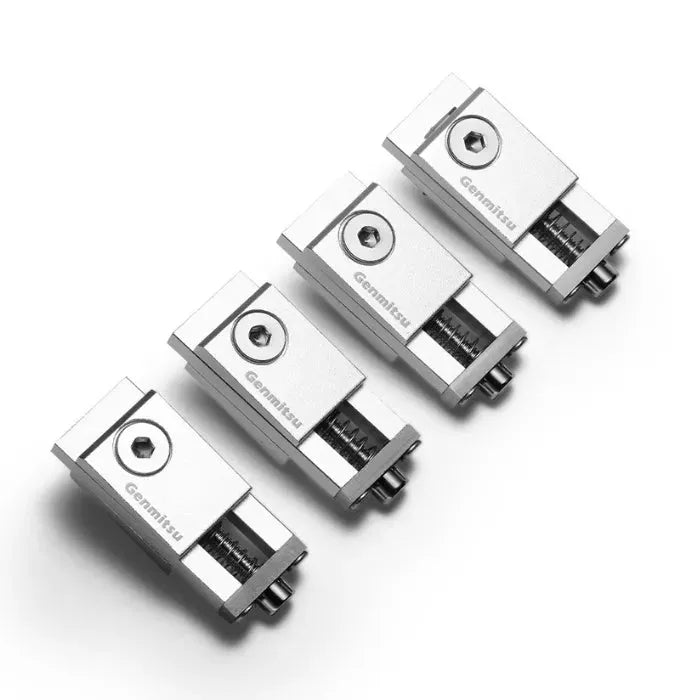
The Genmitsu Aluminum Bench Vise Clamp is a compact workholding fixture for desktop CNC routing, engraving, drilling, trimming, and bench-top assembly. OpenELAB lists the size as 238 x 168 x 4.1mm with an adjustable clamping range of 0 to 145mm.

When a vise is better than basic clamps
A vise is useful when you need repeatable positioning, small workpiece holding, straight edges, drilling, trimming, or light milling where the workpiece should sit in a predictable place. It can also make setup faster when you run similar parts again and again.
A vise is not the best answer for every shape. Very thin sheets, large panels, flexible material, or irregular blanks may need clamps, sacrificial boards, tape-and-glue workholding, tabs, custom fixtures, or vacuum-style workholding. The right fixture depends on the material and toolpath.
Rotary Modules Explained: When the 4th Axis Is Worth It
A rotary module adds a rotating axis so the machine can work around cylindrical material or index a part to different sides. It is useful for projects like round engraving, chess pieces, cylindrical patterns, decorative handles, small columns, wrapped text, and multi-side carving where flat-bed machining is limiting.
The Genmitsu 4th Axis CNC Rotary Module Kit is listed by OpenELAB as a rotary upgrade for 3D carving and complex designs. The listing title points to 3030 and 4040 Pro use, and the description mentions a NEMA17 motor and an offline controller requirement. Before buying, verify your exact CNC model, controller, firmware/software workflow, offline controller needs, CAD/CAM support, workpiece diameter, tailstock length if used, available Z height, and safe tool clearance.

Who should buy a rotary module?
Buy a rotary module if your projects are actually rotational. If you mainly make flat signs, plaques, small boxes, acrylic panels, PCB-style plates, or 2.5D reliefs, a rotary module will not be your first priority. Spend that budget on better bits, collets, dust control, workholding, or material blanks first.
What changes with rotary work?
Rotary work changes the setup. You need to think about blank diameter, centerline, tailstock support if applicable, tool length, Z height, collision clearance, and how your CAM software handles wrapped toolpaths or indexed machining. The learning curve is not impossible, but it is real. A rotary module does not automatically create finished 3D carving from any flat design. Treat rotary cutting as a workflow upgrade, not just a hardware accessory.
Accessory Comparison Table
| Accessory | Best for | Check before buying | Common mistake |
|---|---|---|---|
| 1/8in CNC bit set | Learning, detail carving, engraving, small desktop projects | Spindle/collet support for 1/8in or 3.175mm shanks | Using tiny cutters for deep roughing cuts |
| 1/4in CNC bit set | More rigid tooling, material removal, larger routing tasks | Correct 1/4in / 6.35mm collet and machine rigidity | Assuming a larger bit is always better |
| 4mm aluminum end mills | Aluminum slotting, contouring, pocketing, and test cuts | 4mm collet, chip clearing, feed/speed plan, firm workholding | Using wood-style cutting assumptions on aluminum |
| ER11 collets | Holding different shank sizes in an ER11 spindle setup | Exact shank size and ER11 compatibility | Clamping a tool in the wrong size collet |
| CNC vise | Repeatable small-workpiece holding and bench-top setup | Workpiece shape, clamping range, machine bed fit, tool clearance | Blaming the bit when the workpiece is actually moving |
| 4th axis rotary module | Cylindrical carving, wrapped engraving, indexed multi-side projects | Machine compatibility, controller, CAM support, clearance | Buying it for flat projects that do not need rotation |
Starter Setups by CNC Workflow
Beginner desktop CNC setup
Start with a broad 1/8in bit set, the correct ER11 collets for your tool shanks, basic clamps or a small vise, and scrap material for testing. The MC40A 1/8in bit set plus the ER11 Spring Collet Set is a practical starting point if your machine supports those sizes.
Wood and acrylic project setup
Use a mix of flat end mills, ball nose bits, and engraving bits. Add the Genmitsu Aluminum Bench Vise Clamp when you need repeatable holding for small blocks or parts. For larger sheet work, a vise may be less useful than clamps, a spoilboard, tabs, and careful toolpath planning.
Aluminum testing setup
For aluminum, begin with appropriate end mills such as the SN07A 4mm 3-flute set, a matching 4mm collet, conservative cutting settings, and very firm workholding. Do not judge aluminum performance from the bit alone. Machine rigidity, chip evacuation, spindle speed, and depth of cut decide a lot.
Rotary carving setup
Only add the Genmitsu 4th Axis Rotary Module Kit after you know your flat-bed workflow. Rotary work adds alignment, centerline setup, round blank planning, and CAM complexity. It is a strong upgrade for the right projects, but not a necessary first accessory for every CNC owner.
Common Buying Mistakes
- Buying bits before checking collet size. A cutter is only useful if your spindle can hold it correctly.
- Mixing inch and metric shank assumptions. 1/8in is 3.175mm, 1/4in is 6.35mm, and 4mm is not the same as either.
- Using a loose or incorrect collet. Poor shank fit can increase runout, let the tool slip, damage the cutter, or leave a rough edge.
- Letting the bit stick out too far. Excessive tool extension reduces rigidity and makes chatter or breakage more likely.
- Choosing by coating alone. Coating can help durability and friction, but geometry, feed, speed, material, and chip clearing still matter.
- Underestimating workholding. A moving workpiece can ruin a job faster than a mediocre cutter.
- Using a 1/4in bit on a machine that is not ready for it. Confirm collet fit, spindle capability, Z clearance, rigidity, and safe cutting load first.
- Buying a rotary module too early. If most jobs are flat, finish your bit, collet, and workholding setup first.
- Using aluminum settings like wood settings. Aluminum needs more careful chip control, engagement, rigidity, and sometimes lubrication or air assistance.
- Forgetting fixture and vise clearance. After installing a vise, check that the toolpath, bit length, and clamps cannot collide with the jaws or hardware.
- Buying a rotary module without checking controller and height limits. Confirm machine compatibility, offline controller requirements, CAD/CAM workflow, blank diameter, tailstock length, and Z-height clearance.
FAQ
What Genmitsu CNC accessory should I buy first?
For most new desktop CNC users, start with the correct bits and collets for your spindle. If your workpiece moves during cutting, workholding should become the next priority. A rotary module should usually come later unless your project specifically needs round or indexed machining.
Are 1/8in and 1/4in CNC bits interchangeable?
No. They use different shank sizes and need compatible collets or spindle setups. A 1/8in shank is 3.175mm, while a 1/4in shank is 6.35mm. Do not force a tool into the wrong collet.
Do I need an ER11 collet set?
You need compatible collets for the tool shank sizes you plan to use. If your machine uses an ER11 spindle or ER11 collet-nut system, an ER11 collet set helps you hold multiple metric shank sizes. Always verify exact spindle and shank compatibility.
Can I use a 6mm collet for a 1/4in bit?
Do not assume that. A 1/4in shank is about 6.35mm, not 6mm. Use a collet intended for the exact shank size or range supported by the collet manufacturer.
Is a CNC vise better than clamps?
It depends on the job. A vise is often better for small blocks, repeatable positioning, and compact parts. Clamps, tabs, tape-and-glue, or custom fixtures may be better for thin sheets, large panels, and irregular shapes.
When should I buy a 4th axis rotary module?
Buy it when your projects need rotation: cylindrical engraving, wrapped carving, indexed sides, or round decorative parts. If you mostly cut flat signs or panels, bits and workholding are usually higher priorities.
Does a better bit automatically improve CNC accuracy?
Not by itself. Accuracy also depends on machine rigidity, collet fit, tool runout, workholding, feed rate, spindle speed, material, and calibration. A better bit helps most when the rest of the setup is already under control.
Final Recommendation
Choose Genmitsu CNC accessories by workflow, not by accessory count. If you are building a starter kit, begin with a useful bit set and matching collets. If your material shifts, add better workholding before buying more cutters. If your projects move into round blanks or indexed multi-side work, then compare a rotary module.
For most buyers, the smartest path is: 1/8in bits for general desktop CNC work, ER11 collets for correct shank holding, a vise for stable workholding, and a 4th axis rotary module only when the project shape truly needs rotation.