 openelab.de
 openelab.com





















































































Solar panel monitoring shouldn't require cloud subscriptions or vendor lock-in. Yet most Hoymiles inverter owners find themselves tethered to proprietary DTU gateways that phone home to Chinese servers, charge recurring fees, and offer zero integration with home automation platforms. The OpenDTU project changed this equation entirely — an open-source firmware that turns an ESP32 into a full-featured monitoring gateway.
Enter the OpenELAB OpenDTU: a €55 dual-mode hardware implementation that combines both NRF24L01+ and CMT2300A wireless modules, adds a crisp OLED display, and comes pre-flashed with production-ready firmware. No soldering. No firmware compilation. No cloud dependencies. Just plug it in, connect to your inverters, and start monitoring — locally, privately, and forever free.

What's Inside: Hardware Breakdown
The physical implementation reveals thoughtful engineering. At its core sits an ESP32-WROOM-32 module handling WiFi connectivity and web serving duties. But the real intelligence lies in the RF section: both NRF24L01+ (for HM-series inverters) and CMT2300A (for HMS/HMT-series) modules coexist on the same PCB, auto-switching based on detected inverter type.
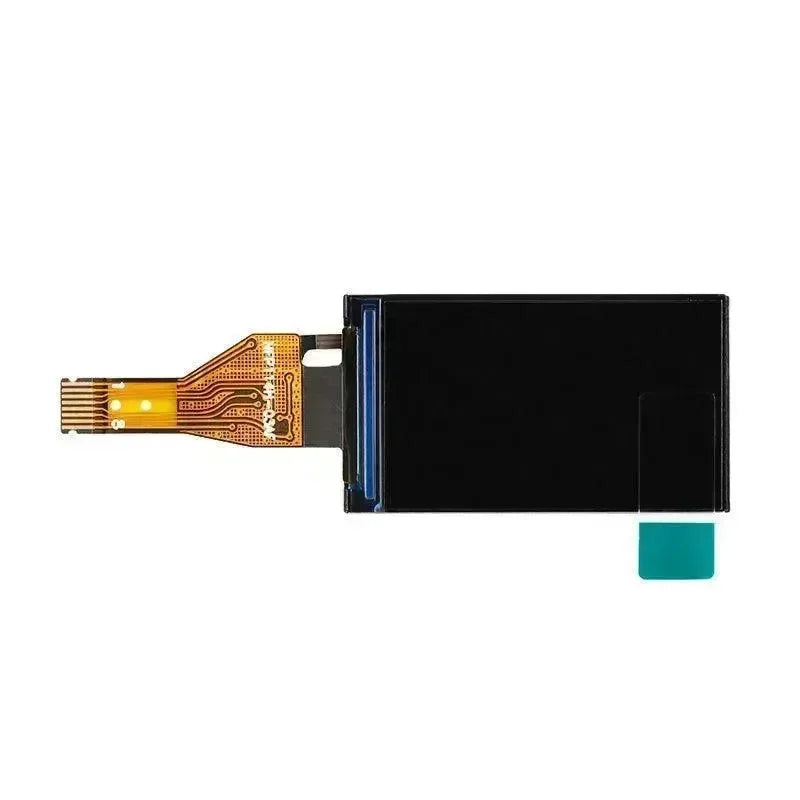
The 0.96" OLED display isn't decorative — it shows real-time power output, daily yield, IP address, and connection status. During initial setup, it displays the device's AP credentials. During normal operation, it cycles through key metrics without requiring a phone or browser.
Key Technical Specifications
| Parameter | Value |
|---|---|
| MCU | ESP32-WROOM-32 (240MHz dual-core) |
| RF Modules | NRF24L01+ (2.4GHz) + CMT2300A (Sub-GHz) |
| Display | 0.96" OLED (128x64) |
| Power Input | 5V/2A via USB-C |
| WiFi | 802.11 b/g/n |
| Max Inverters | 10 concurrent connections |
| Protocols | MQTT (TLS), HTTP REST API, Prometheus |
| Firmware | Pre-installed OpenDTU (latest stable) |
Inverter Compatibility: The Complete Picture
Reverse-engineering the Hoymiles protocol wasn't trivial — the original developers spent months analyzing RF traffic and packet structures. The result supports virtually every Hoymiles inverter on the market, plus compatible units from TSUN, Solenso, and E-Star.
The dual RF architecture matters here. HM-series inverters (older 300-1500W microinverters) use the NRF24L01+ protocol on 2.4GHz. Newer HMS-series (300-2000W) and HMT-series (1600-2250W three-phase) units shifted to CMT2300A on Sub-GHz frequencies for better range and interference immunity. The OpenDTU hardware includes both, future-proofing your investment regardless of which inverter generation you own.

Software Stack: Beyond Basic Monitoring
The pre-installed firmware isn't a stripped-down demo — it's the full OpenDTU feature set. Connect to the device's AP (default: openDTU / openDTU42), navigate to 192.168.4.1, and configure your WiFi credentials. The OLED display then shows the assigned IP address for permanent access.
The web interface displays live power output, daily/weekly/monthly yield statistics, event logs, and inverter configuration. But the real power lies in the integration options. MQTT support includes TLS encryption and Home Assistant auto-discovery — add the device to your home automation setup in minutes without manual YAML configuration.
For data enthusiasts, the Prometheus endpoint (/api/prometheus/metrics) exposes everything as time-series data. Grafana dashboards tracking multi-year performance trends become trivial to implement. The REST API provides programmatic access for custom integrations.
Home Assistant Integration Done Right
Most solar monitoring solutions treat Home Assistant as an afterthought. OpenDTU was designed with native MQTT auto-discovery from day one. Once configured, the device automatically appears in Home Assistant with pre-populated sensors for each connected inverter.
You get entities for current power (W), daily yield (kWh), total yield (MWh), DC voltage per input, grid frequency, and power factor. The integration supports both instantaneous readings and cumulative counters — Home Assistant's energy dashboard can consume the data directly for long-term consumption analysis.
Setup Walkthrough: From Box to Monitoring
The initial configuration follows a three-step process designed for non-technical users:
Step 1: Connect 5V/2A power via USB-C. The device boots within seconds and creates a WiFi access point named "openDTU".
Step 2: Connect your phone or laptop to this AP using the password displayed on the OLED screen (default: openDTU42). Open a browser and navigate to 192.168.4.1.
Step 3: Log in with admin/openDTU42, enter your home WiFi credentials, and save. The device reboots, connects to your network, and displays the assigned IP address on screen.
From there, access the web interface at the displayed IP, navigate to "Inverter Settings", and add your Hoymiles units by serial number. The RF modules automatically detect and begin communication within seconds.

The Privacy-First Advantage
Unlike proprietary DTU solutions, OpenDTU operates entirely within your network boundary. No cloud accounts. No data harvesting. No service subscription fees. Your generation data stays yours — visible only to you, stored only where you choose.
This matters beyond privacy. When Hoymiles' cloud services experience outages (which they do), your monitoring continues uninterrupted. When the company eventually sunsets support for older inverter models, your DTU keeps working. The open-source firmware ensures indefinite maintainability.
Real-World Limitations
Nothing's perfect. The OpenDTU hardware doesn't support Hoymiles inverters with integrated WiFi (models containing "W" in the name like HMS-800W-2T). These units use a completely different communication stack that hasn't been reverse-engineered.
TSUN inverter compatibility depends on serial number prefix — units starting with "11" work fine, but "10" prefixes aren't supported. This stems from protocol differences in early TSUN firmware revisions.
Power users should also note that while the ESP32 handles normal monitoring loads comfortably, aggressive polling intervals (sub-5-second) can occasionally trigger watchdog resets. Stick to the default 10-second interval for stability.
Who Should Buy This?
The OpenELAB OpenDTU fits specific use cases perfectly:
Home Assistant users wanting native solar integration without cloud dependencies. The auto-discovery alone saves hours of manual sensor configuration.
Privacy-conscious homeowners uncomfortable with Chinese cloud services monitoring their energy generation patterns. Local-first architecture eliminates data sovereignty concerns.
Multi-inverter installations needing unified monitoring. Supporting up to 10 concurrent connections from a single device reduces hardware complexity versus per-inverter monitoring solutions.
Tinkerers and data enthusiasts wanting Prometheus/Grafana integration for long-term performance analysis. The metrics export opens analytical possibilities no commercial solution offers.
Technical Comparison
Stacking the OpenELAB implementation against alternatives reveals clear trade-offs:
| Feature | OpenELAB OpenDTU | Hoymiles DTU-Pro | DIY Build |
|---|---|---|---|
| Price | €55 | ~€100-150 | ~€15-25 |
| Assembly Required | None | None | Soldering + flashing |
| Dual RF Support | ✅ Yes | ✅ Yes | ⚠️ Component dependent |
| Integrated Display | ✅ Yes | ❌ No | ⚠️ Optional |
| Cloud Dependency | ❌ None | ⚠️ Required | ❌ None |
| Home Assistant | ✅ Native MQTT | ❌ Third-party only | ✅ Native MQTT |
| Prometheus API | ✅ Built-in | ❌ No | ✅ Built-in |
The DIY route saves money but requires sourcing compatible ESP32 dev boards, NRF24 modules, CMT2300A modules, displays, and enclosures — then flashing firmware, configuring pin mappings, and troubleshooting RF issues. For most users, the €30 premium for a ready-to-use solution with warranty support represents solid value.
Frequently Asked Questions
Does this work with HMS-800W-2T inverters?
No. Any Hoymiles model with "W" in the name contains integrated WiFi and uses a different communication protocol that OpenDTU doesn't support. Check your inverter model carefully before purchasing.
Can I access data remotely?
Yes, but you'll need to configure your own access method. Options include VPN into your home network, Home Assistant Cloud (Nabu Casa), or exposing the MQTT broker through your firewall. The device itself doesn't phone home or provide cloud access.
What's the actual wireless range?
Typical range is 10-15 meters through walls, 30+ meters line-of-sight. The CMT2300A Sub-GHz module (used for HMS/HMT series) generally achieves better range than the NRF24L01+ (HM series). Position the DTU centrally relative to your inverters for best results.
Is firmware upgradeable?
Yes — the web interface includes OTA (Over-The-Air) firmware update capability. The OpenDTU project releases regular updates with new features and inverter compatibility improvements.
Does it support battery storage monitoring?
OpenDTU monitors inverter output, not battery state of charge. If your battery system connects through supported Hoymiles inverters, you'll see combined output data, but individual battery metrics require separate monitoring hardware.
Bottom Line
The OpenELAB OpenDTU delivers exactly what it promises: plug-and-play local monitoring for Hoymiles solar inverters without cloud dependencies or vendor lock-in. The dual RF architecture covers virtually all inverter generations, the integrated display provides at-a-glance status, and the Home Assistant integration works flawlessly.
At €55, it's not the cheapest monitoring solution, but it's the most capable for privacy-conscious homeowners wanting professional-grade solar monitoring without recurring fees. The open-source firmware means you'll never face forced obsolescence. If you're running Hoymiles inverters and value data sovereignty, this is the DTU to buy.




