 openelab.de
 openelab.com




































ROBOTIC ARM
SO-ARM101

A ready-assembled arm kit to begin your LeRobot journey.
Před pokladnou
Níže uvedené položky (SKU) a množství jsou momentálně vyprodány. Musí být zajištěny z našeho skladu v Číně a po připravení budou odeslány přímo odtud. Zvolte, zda si přejete odeslat dostupné položky přednostně, nebo počkat a odeslat celou objednávku najednou.
Skladové položky (SKU) a množství, které nejsou skladem
 openelab.io
 Vývojová deska
 Displej
 Bezdrátové technologie a IoT
 Fotoaparát
 Kamera Edge AI
 Obecná kamera
 Vestavěná kamera
 Hloubková kamera a LiDAR
 Příslušenství fotoaparátu
 Výkon
 LED
 Komponenty
 Příslušenství
 Geek
SEEED ROBOTICS
Explore Seeed Studio robot arms, robotics components, edge AI computing, and learning resources for your next project.

Find a platform for hands-on robotics, teleoperation, and robot learning.
ROBOTIC ARM
A ready-assembled arm kit to begin your LeRobot journey.
ROBOTIC ARM

One robotics platform, two motor options. Choose the B601-RS or B601-DM kit for your project.
ROBOTIC ARM

A humanoid dual-arm platform for advanced manipulation.
Discover dexterous hands, mobile platforms, and interactive robots.


Master precise remote control with a leader-follower system.
Explore Product

Explore NVIDIA Jetson developer kits and Seeed reComputer platforms.

Start with a developer kit for your next robotics project.
Explore NVIDIA Jetson
Explore ready-to-integrate edge AI computers built around NVIDIA Jetson.
Explore reComputerExplore motors, LiDAR, and cameras for your robotics projects.
 ROBSTRIDE04 QDD 120N.m integrovaný kloubový BLDC převodový motor
 Seeed Studio SO-ARM101 levná sada servomotorů pro rameno AI Pro pro LeRobot
 ROBSTRIDE00 QDD 14N.m integrovaný kloubový motorový modul
 ROBSTRIDE02 QDD 17N.m kloubový motorový modul se dvěma enkodéry
 Integrovaný modul kloubového motoru ROBSTRIDE03 QDD 60N.m
 ROBSTRIDE05 QDD 5.5N.m integrovaný modul motoru kloubu
 Feetech STS3215-C018 12V 30kg.cm sériové servomotorové zařízení TTL pro SO-ARM100/101
 ROBSTRIDE06 QDD 36N.m integrovaný modul motoru kloubu
 Waveshare Slamtec RPLIDAR C1 360stupňový LiDAR senzor Kit
 Slamtec C1 RPLIDAR C1 Fusion 360stupňový LiDAR senzor pro roboty
 Waveshare Slamtec RPLIDAR A1 360stupňový LiDAR senzor Kit
 Slamtec A1M8 RPLIDAR A1 360stupňový LiDAR senzor
 Waveshare RPLIDAR S2 vysoce výkonný kompaktní DTOF LiDAR
 Slamtec S3E RPLIDAR S3 360stupňový TOF LiDAR senzor pro robotiku
 Slamtec S3 RPLIDAR S3 360stupňový TOF LiDAR senzor pro robotiku
 Slamtec S2L RPLIDAR S2 360stupňový TOF LiDAR senzor pro robotiku
 Stereo hloubková kamera Orbbec Gemini 335 Compact USB RGB-D
 Kompaktní 3D stereokamera Orbbec Gemini 2 s IMU
 Orbbec Femto Bolt 4K RGB + ToF hloubková kamera pro AI a robotiku
 Hloubková kamera Intel RealSense D405 pro vysoce přesné 3D skenování na krátkou vzdálenost
 Hloubková kamera Intel RealSense D435i pro vysokorychlostní 3D sledování pohybu s globální závěrkou a IMU
 Stereo hloubková kamera Orbbec Gemini 336 Compact s IR filtrem
 2MP USB kamera WowRobo pro SO-ARM101, 30 FPS, 3m kabel
 Orbbec Gemini 305 stereokamera s hloubkovým snímáním na krátkou vzdálenost pro montáž na robotické zápěstí
Find grippers, cameras, cables, and power accessories for your selected platform.
 Rameno Leader Seeed Studio Star Arm 102 pro reBot B601-DM&RS
259,95 €
 Sada napájecího adaptéru pro Seeed Studio reBot Arm B601-RS
125,95 €
 Modul ochrany obvodů a tlačítka nouzového zastavení Seeed Studio pro rameno reBot Arm B601-RS
94,45 €
 Modul ochrany obvodů a tlačítka nouzového zastavení Seeed Studio pro rameno reBot B601-DM
94,45 €
 Sada napájecího adaptéru pro Seeed Studio reBot Arm B601-DM
94,45 €
 Seeed Studio 6palcová svěrka typu G pro rameno reBot
24,10 €
 Seeed Studio SO-ARM101 Pro flexibilní úchopové zařízení
12,55 €
 Seeed Studio ReBot měkký uchopovač
15,70 €
 Napájecí kabel Seeed Studio-F na F-300mm – pro robotické rameno reBot B601-RS
13,60 €
 Napájecí kabel Seeed Studio-F na F-R/A-300mm – pro robotické rameno reBot B601-RS
13,60 €
 Napájecí kabel Seeed Studio-F R/A na F R/A-200mm – pro robotické rameno reBot B601-RS
13,60 €
 Napájecí kabel Seeed Studio-F R/A na F R/A-320mm – pro robotické rameno reBot B601-RS
13,60 €
 Seeed Studio napájecí kabel XT30 (2+2) samice na XT30 (2+2) samici, 300mm
13,60 €
 Seeed Studio napájecí kabel XT30 (2+2) samice na XT30 (2+2) samici, 200mm
13,60 €
 Seeed Studio BCCA4012 XT30 (2+2) kabel 35CM se dvěma pravouhlými konektory
13,60 €
 Seeed Studio BCCA4011 XT30 (2+2) kabel 30CM z přímého na pravouhlý konektor
13,60 €
 Napájecí adaptér / zdroj s kulatou zástrčkou podle evropského standardu, 12V 1A
Od 13,60 €
Choose your robot and find official guides for setup, control, and experimentation.

An open robotic arm platform for Physical AI projects.

A humanoid dual-arm platform for advanced manipulation.


A leader–follower arm kit for robot learning projects.

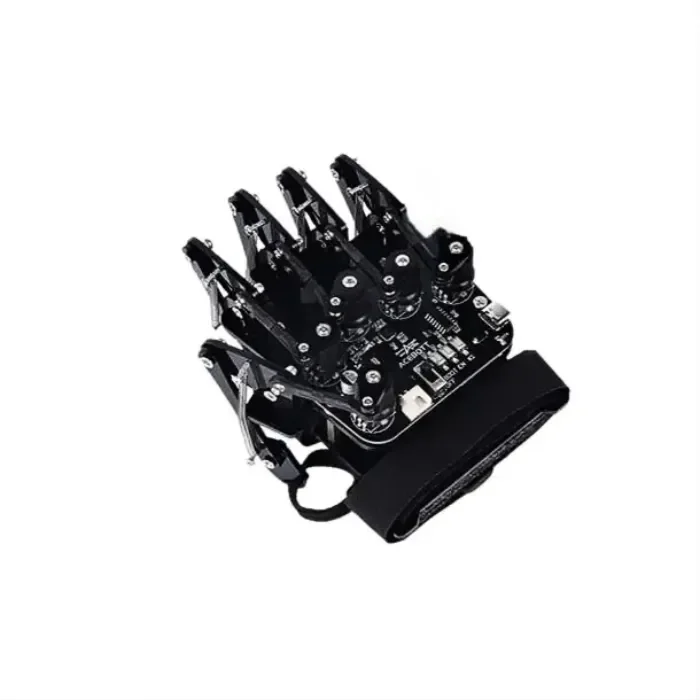
Explore dexterous grasping with an open-source robotic hand.


Build a Physical AI workflow with Seeed reBot and NVIDIA Isaac.
Capture robot demonstrations and explore simulated environments to prepare data for robot learning.
Open Original VideoExplore scene variation with Cosmos Transfer to create additional visual training material.
Open Original VideoAdapt a GR00T model to your robot dataset and explore vision, language, and action working together.
Open Original VideoOptimize models with TensorRT and explore real-time execution on Jetson hardware.
Open Original VideoA LITTLE GUIDANCE
SO-ARM101 is a starting point for leader-follower learning. Explore reBot RS and DM for manipulation projects, or the StarAI kit for coordinated robot learning. Compare the exact kit specifications with your project requirements.
Package contents depend on the selected SKU and variant. Check the product listing before ordering. Choose accessories for your exact robot model; the accessory selection does not imply universal compatibility.
Compatibility depends on the robot interface, operating system, software stack, and power requirements. Confirm your complete configuration before selecting a computing platform.
Select your robot in the Robotics Learning Hub above to open its official setup and development resources.
The Learning Hub brings together documentation for different platforms. The reBot Sim-to-Real Course focuses on a workflow covering data collection, scene variation, model training, and edge deployment.
Contact our team with your project goal, preferred platform, budget, and existing equipment so we can review the components you need.
 Vývojová deska
Displej
Bezdrátové technologie a IoT
Fotoaparát
Kamera Edge AI
Obecná kamera
Vestavěná kamera
Hloubková kamera a LiDAR
Příslušenství fotoaparátu
Výkon
LED
Komponenty
Příslušenství
Geek
